
How to Clean Your Zebra Printhead
Posted by The ZPS Store on Jun 29th 2025
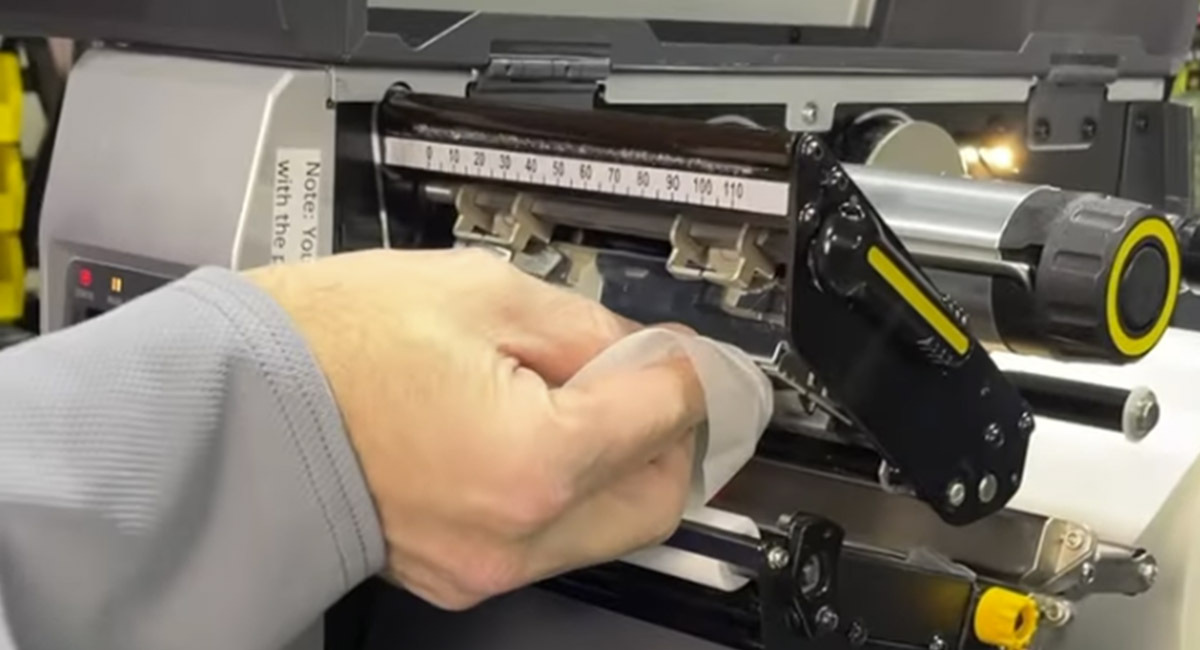
Best Practices for Peak Print Quality & Longevity
If you rely on a Zebra barcode printer for your business, your printhead is the most critical—and most vulnerable—component of the entire machine. Regular maintenance is essential to avoid costly replacements and frustrating downtime. In this article, we’ll walk you through how to clean your Zebra printhead, explain why regular cleaning is critical, and help you protect your investment with tips that extend the life of both your Zebra printhead and Zebra platen roller.
Why Cleaning Your Zebra Printhead Matters
The printhead in your Zebra printer is responsible for transferring heat to produce crisp text, barcodes, and graphics on your labels. But over time, heat, friction, and debris can cause wear that leads to permanent damage.
If You Neglect to Clean Your Zebra Printhead, Two Major Issues Can Quickly Emerge:
1. Vertical Lines on Labels – A Sign of Printhead Failure
One of the most common and irreversible symptoms of a neglected printhead is vertical white lines running through your labels. These lines indicate dead heating elements—tiny resistors that no longer heat up to transfer an image. Once they fail, they cannot be revived. Any label portion passing under this part of the printhead will remain completely blank, making the label unreadable and useless.
2. Grainy, Faded Prints and Unscannable Barcodes
A dirty printhead is often coated in paper dust, adhesive residue, and debris that obstruct heat transfer. This leads to grainy images, faded print, and poor barcode resolution. In mission-critical environments like shipping, warehousing, or healthcare, this compromises your entire operation—slowing down workflows and causing scan failures.
These issues are completely preventable with consistent printhead maintenance.
What Can Accelerate Zebra Printhead Wear?
While regular cleaning is your best line of defense, certain practices and materials can significantly accelerate wear and tear.
Direct Thermal Printing
Direct thermal printing wears out printheads faster than thermal transfer printing. Why? Because there's no ribbon acting as a buffer between the label and the printhead. The direct contact between the label and the printhead increases friction, heat exposure, and abrasion—all of which degrade your printhead faster.
Cheap Barcode Labels
Low-cost labels are often made with inferior paper and adhesives that shed fibers and microscopic debris. These particles cling to your Zebra printhead, increasing buildup and forcing it to work harder, hotter, and ultimately—fail sooner. In contrast, high-quality labels from trusted sources like The ZPS Store feature cleaner adhesives and smoother finishes that minimize wear.
Step-by-Step: How to Clean Your Zebra Printhead
Cleaning your Zebra printhead doesn’t require a service call or downtime—it’s quick, easy, and highly effective when done correctly.
✅ Step 1: Open the Printer
Lift the side cover of your Zebra printer to expose the inside.
✅ Step 2: Release the Printhead Latch
Gently open the printhead mechanism latch. This will elevate the printhead and give you access to the heating element strip underneath.
✅ Step 3: Locate the Printhead Element Strip
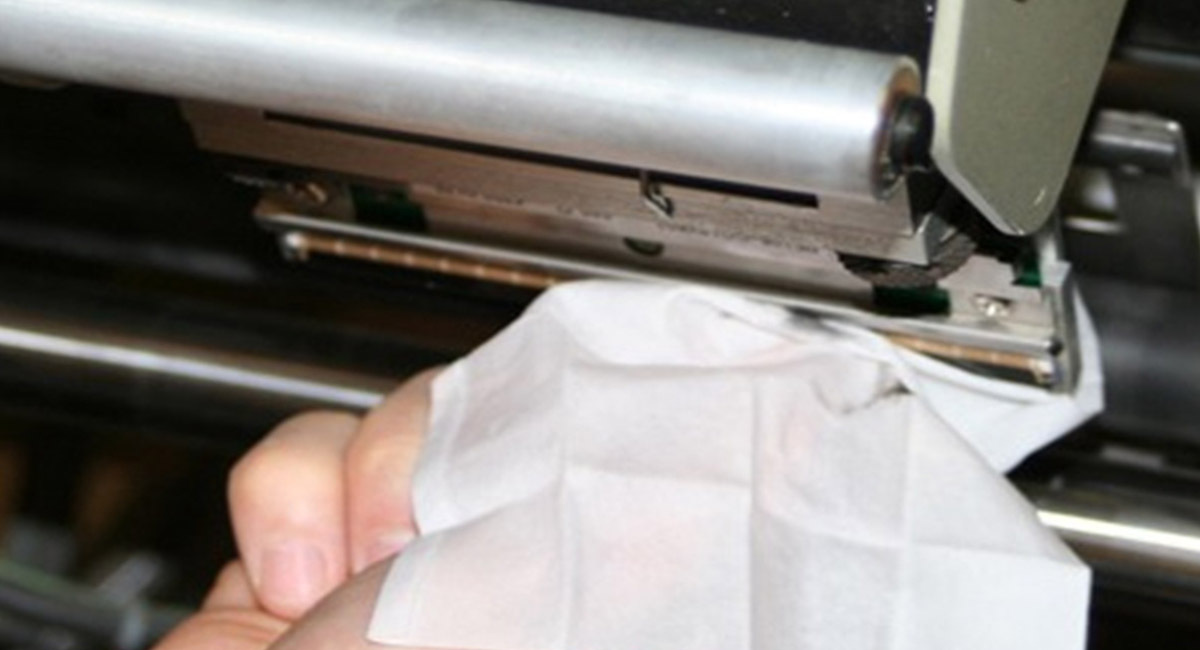
Look for a thin, white line that spans the width of the printhead. This is the heat-sensitive strip that needs cleaning.
✅ Step 4: Use Proper Cleaning Supplies
Use Zebra Cleaning Pens or isopropyl alcohol wipes (99%) designed for printhead cleaning. Firmly scrub the white strip with back-and-forth motion for 30–45 seconds to remove buildup.
URGENT NOTE:
Never use harsh chemicals, sharp tools, metal objects, or non-approved wipes on your printhead. Only use Zebra-approved cleaning supplies or 99% isopropyl alcohol. Anything else may cause irreparable damage.
✅ Step 5: Re-lock the Printhead
Once clean, lower the printhead back into position and re-latch the mechanism securely. Close the side door. You’re ready to resume printing.
How Often Should You Clean Your Zebra Printhead?
At The ZPS Store, we recommend cleaning your Zebra printhead every other time you change your barcode label roll. It takes just a minute, and since your production is already paused, it’s the perfect time to maintain your device.
Neglecting this simple habit can shorten the life of your Zebra printhead, costing you hundreds of dollars in premature replacements and slowing your workflow with print quality issues.
Bonus Tip: Don’t Forget the Platen Roller
While you're inside the printer, take an extra 30 seconds to wipe down the Zebra platen roller (the rubber roller beneath the labels). Keeping the platen clean helps prevent label slippage, misfeeds, and blank label printing—all common issues in Zebra printer support calls.
Use the same isopropyl alcohol wipes to gently rotate and clean the roller surface.
Check out our DIY Video Tutorial
Make sure to SUBSCRIBE so you never miss expert maintenance tips to keep your Zebra barcode printers performing at their best.
Trust The ZPS Store – Experts in Zebra Printer Repair
For nearly 30 years, The ZPS Store has specialized in Zebra printer repair, printhead replacements, and genuine Zebra printer supplies. Whether you're looking for Zebra printheads, cleaning kits, or expert guidance, our team is the go-to resource trusted by businesses nationwide.
We carry the full line of Zebra Printheads, cleaning pens, isopropyl alcohol wipes, and OEM Zebra platen rollers—everything you need to keep your Zebra printer running at peak performance.
Regular maintenance isn’t just smart—it’s essential. By making Zebra printhead cleaning a routine part of your label roll changes, you’ll:
- Maximize Printhead Life
- Improve Print Quality & Barcode Legibility
- Prevent Scan Failures & Workflow Disruptions
- Avoid Costly Printhead Replacements
Reach out to The ZPS Store, the leader in Zebra Technologies solutions, supplies, and service.
Talk to an Expert