
How to Find a Lost Barcode Scanner in Your Warehouse | Zebra Device Tracker
Posted by The ZPS Store on Feb 23rd 2026
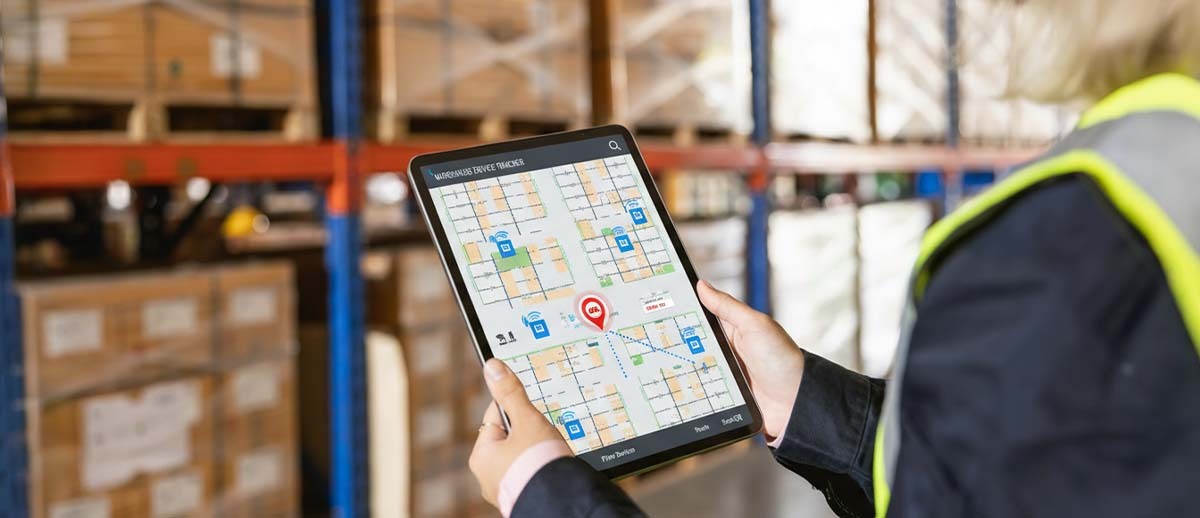
Walk a 500,000-square-foot distribution center at shift change and you'll find the same scene repeated everywhere: a supervisor retracing the same path through receiving, staging, and shipping — not moving freight, not managing people, but hunting for a missing handheld scanner. Multiply that by three shifts, scale it across a fleet of 50 or 100 devices, and you're not just talking about an annoyance. You're talking about a budget line item that's invisible until someone finally adds it up. Replacement costs for enterprise-grade barcode scanners routinely run $500 to $1,500 per unit, and that's before you factor in downtime, lost productivity, and the quiet morale drain of workers standing around waiting for equipment.
Zebra's Device Tracker software is designed to eliminate exactly that problem. It's worth understanding how it works, where its limits are, and whether the misconceptions around it might be costing businesses the decision to adopt it sooner.
What Is Zebra Device Tracker and How Does It Work?
Zebra Device Tracker is a cloud-based scalable solution that tracks Zebra Android mobile devices, finds missing devices, and helps prevent device inventory shrinkage. Misplaced devices are tracked by leveraging existing Wi-Fi network infrastructure and utilizing Bluetooth technology and audio chirping to locate them.
The system has two core components. The first is a cloud server hosted and maintained by Zebra — you don't need to stand up your own infrastructure. The second is a lightweight client application that runs on every Zebra Android device in your fleet. That client software sends location updates to the Device Tracker cloud server, which enables finding lost devices by utilizing the BLE beaconing system and remote alarms on the lost device.
When a device goes missing, an administrator or site manager marks it as "To Be Found" through a dashboard. At that point, any nearby Zebra device with Device Tracker installed transforms into a locator tool. Employees can find devices using a Zebra BLE-supported device and a Geiger-counter-like interface, which shows how far or near you are to the lost device. The closer you walk, the stronger the signal reading. You can also trigger a remote audible alarm on the missing device to home in on it.
Can You See a Zebra Device Anywhere at Any Time?
This is probably the most common question — and the answer requires some nuance. The dashboard gives you real-time presence and location status for every enrolled device, including battery level, whether it's connected to your network, and which access point it was last seen on. Sites and access points are assigned friendly names to easily identify device location — so instead of seeing a cryptic network identifier, you'd see something like "Receiving Dock" or "Aisle 7."
That said, Device Tracker is a facility-level system, not a GPS dot moving around a floor plan in real time. Device Tracker identifies the general area where the device is located based on the Access Point it is connected to within the facility. The visual proximity indicator relies on Bluetooth beacon transmissions to determine the approximate location of the device. Think of it in two stages: first, the dashboard tells you which zone or section of the building the device was last active in. Then, once you're in that zone, the Geiger-counter proximity meter and audio alert get you to within arm's reach.
For most warehouses and distribution operations, this two-stage approach is exactly what's needed. You're not trying to plot GPS coordinates — you're trying to stop wasting 20 minutes hunting through shelves.

How Accurate Is the Location Tracking?
Zone-level identification through Wi-Fi access points gives you a rough position — typically the coverage area of a single AP, which in a warehouse might span several thousand square feet. That narrows the search considerably. The BLE proximity indicator then gets granular, showing real-time distance as you physically move through the space. For the final few feet, the audio chirp on the missing device does the heavy lifting.
Map-Based Locationing can be enabled to retrieve GPS coordinates of devices and map their locations Zebra TechDocs, which adds another layer of visual context for managers who want a bird's-eye view of fleet distribution across a site. It's worth noting this feature requires GPS to be active on the device.
The honest answer on accuracy: it's not pinpoint, and it's not meant to be. It's fast and it's practical, and for the vast majority of "where did that scanner end up?" scenarios, it works.
What Happens If the Device Is Turned Off?
This is where Device Tracker separates itself from simpler solutions, and it's a feature more operations managers should know about. For devices equipped with a secondary Bluetooth Low Energy option — whether device-based or battery-based — the secondary BLE beacon activates when the host device is powered off, enabling tracking for a limited time even when the battery is depleted.
In practical terms, this means a scanner that ran out of battery and got tucked behind a shelf can still be located before the next shift starts — as long as the search happens within a reasonable window after the device lost power. Secondary BLE allows location detection of a device when it is powered off or has a critically low battery of 5% or less.
Not every Zebra device supports secondary BLE — it's worth checking the compatibility list before assuming all devices in your fleet have this capability. For those that don't, the primary BLE method still works as long as the device is powered on and enrolled with the server.

Misconceptions That Trip People Up
- Misconception #1: It works like GPS tracking anywhere in the world. Device Tracker is a within-facility tool. It relies on your existing Wi-Fi network and Bluetooth signals. A device that leaves the building loses its trackable presence. If you need to track devices between facilities or in transit, this isn't the tool for that use case.
- Misconception #2: Any Bluetooth scanner can be tracked. Device Tracker is designed for Zebra Enterprise Mobile Devices. It requires the Device Tracker client app to be installed, and the device must be running Android Oreo or higher. Older Zebra devices and non-Zebra hardware are not supported.
- Misconception #3: Once a device disconnects, it's gone. A device enters a "disconnected" state after roughly 12 minutes without server communication. The dashboard still shows its last known location based on the most recent Wi-Fi association — that information doesn't vanish. And if the device supports secondary BLE, it can still be physically located even after it goes dark.
- Misconception #4: Deployment requires new infrastructure. Device Tracker can be quickly deployed by installing the client app on your Zebra mobile devices, without needing extra hardware. It runs on the Wi-Fi infrastructure you already have.
Is Zebra Device Tracker Affordable?
Zebra structures Device Tracker as a subscription license, available in 1-year, 3-year, and 5-year terms. The pricing is per-device and scales with fleet size — there are license tiers designed for fleets up to 4,999 devices, and volume pricing naturally improves at higher counts. Special pricing is available for customers purchasing Zebra hardware with BLE capability, which effectively bundles the software cost into a hardware refresh decision.
Exact per-device pricing varies by reseller and contract, but the math isn't complicated. If one lost device costs $800 to replace — and you're losing two or three a year — you're already funding the software. Add in the labor hours saved from device hunts and the downstream cost of productivity gaps, and the ROI conversation tends to resolve itself quickly. Zebra also offers a 90-day trial license, which removes the commitment risk from the evaluation decision.

Five Questions to Ask Before Buying
Before committing to Device Tracker, it's worth pressure-testing the fit with your specific environment:
1. Are all of our handheld devices Zebra Android models running a current OS? Device Tracker only works with Zebra Android devices on Oreo or later. A mixed fleet — or older Zebra hardware — will require an audit before you can determine actual coverage.
2. Do our devices support secondary BLE? If you regularly deal with dead-battery devices going missing, this capability is the difference between finding them and waiting until someone stumbles across them. Check the supported device matrix before assuming it's included.
3. How is our Wi-Fi infrastructure laid out across the facility? The accuracy of zone-level tracking depends on how your access points are mapped and named. A facility with sparse AP coverage will produce larger search zones. Talking to your IT team about AP density before deployment is worth the conversation.
4. Do we operate across multiple sites? Device Tracker supports central administrator oversight with the ability to view at the site level across up to 5,000 locations. Zebra TechDocs If you run multiple warehouses or distribution centers, multi-site visibility from a single dashboard may justify the deployment even faster.
5. Who will administer the system day-to-day? Device Tracker has three role levels: central administrator, site manager, and site associate. Understanding which of your team members will handle device flagging, reporting, and check-in/check-out accountability helps you map the software to your actual operational workflow — not just the ideal one.
Zebra Device Tracker doesn't promise to do something exotic. It promises to solve a specific, expensive, and deeply familiar problem: the missing scanner that costs you time, money, and patience every single week. The technology is mature, the deployment is straightforward, and the math on ROI is not difficult to make. The bigger question is usually whether your device fleet qualifies — and if it does, the faster question becomes why you haven't started the 90-day trial yet.