
How to Fix Lines in Your Print: A Complete Zebra Printer Troubleshooting Guide
Posted by The ZPS Store on Aug 2nd 2025
Experiencing lines in your barcode labels can be frustrating, impacting productivity, barcode readability, and your operation's bottom line. Whether you're seeing vertical lines, diagonal lines, or inconsistent printing issues, understanding their root causes can save significant time and money on Zebra printer repairs.
This guide will help you clearly diagnose and resolve the most common issues causing lines in barcode labels, ensuring seamless printing operations.
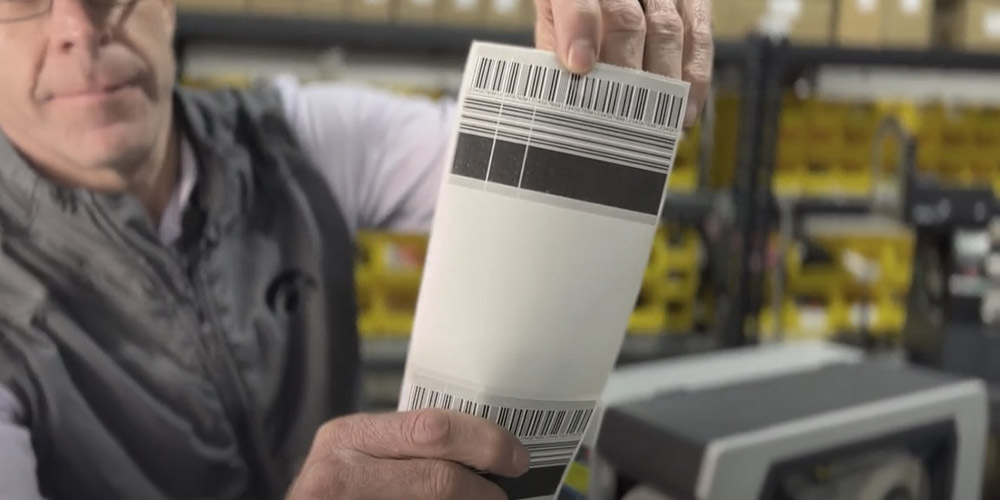
Understanding Zebra Printer Line Issues
Lines in printed labels are common but manageable barcode printer errors. These imperfections can affect barcode readability, damage product appearance, and even pause production. Fortunately, each type of line typically points to a specific underlying problem—printer hardware, media, or printer settings.
To effectively troubleshoot, closely examine the line pattern on your labels.
Type 1: Straight Vertical White Lines (Top to Bottom)
Symptoms:
- Perfectly straight lines running vertically down the labels
- Consistent white gaps with no printing
Causes:
- Dead Printhead Elements: Heating elements within the printhead fail, permanently disabling certain dots.
- Dirty Printhead Elements: Residue from labels or ribbons interferes with heat transfer.
Fixing Vertical Line Issues:
Step-by-Step Solution:
Clean Printhead:
Use a lint-free swab and/or an isopropyl alcohol wipe to gently clean the Zebra printhead (see detailed Zebra printhead cleaning instructions). Allow the printhead to dry completely before use.
Inspect for Damage:
Check the Zebra printhead surface for visible damage or scratches.
Perform a Pause Test
Conduct a Pause Test which is a full width print test to verify that all heating elements on the Zebra Printhead are working correctly.
If cleaning doesn't help, diagnosing Zebra printhead problems with professional assistance may be necessary.
Type 2: Diagonal or Jagged Lines (Ribbon Wrinkle Issues)
Symptoms:
- Diagonal, wavy, or jagged lines appearing unevenly across labels
- Wrinkled or distorted print appearance
Causes:
- Ribbon Wrinkle: Misaligned or wrinkled ribbons distort the print.
- Incorrect Printhead Pressure: Uneven pressure creates inconsistent ribbon contact.
- Misaligned Media/Ribbon: Incorrectly loaded materials lead to distorted print.
Resolving Diagonal Line Problems:
Pressure Adjustments:
- Adjust printhead pressure incrementally, testing after each change.
- Ensure even pressure distribution to prevent Zebra printer ribbon wrinkle issues.
Media and Ribbon Checks:
- Confirm correct ribbon and media loading to avoid Zebra printer ribbon misalignment issues.
- Adjust ribbon tension—avoid too loose or tight tension.
- Verify material compatibility with printer specifications.
Optimize Print Settings:
- Lower print speed and adjust darkness settings to prevent ribbon distortion.
Hardware Maintenance:
- Inspect and clean platen roller.
- Clean debris from ribbon path.
Type 3: Random Missing Print and Spotty Output
Symptoms:
- Irregular and unpredictable gaps or missing sections
- Sporadic print quality issues rather than consistent line patterns
Causes:
- Sensor Contamination: Dirty or misaligned media sensors
- Poor Media Quality: Inconsistent label surfaces or adhesive quality
- Printhead Wear: Aging printheads with intermittent failures
Solutions for Random Print Issues:
Sensor Maintenance:
- Clean media sensors using compressed air and isopropyl alcohol.
- Verify sensor alignment and calibration.
Media Evaluation:
- Test with reliable, high-quality labels to resolve barcode printer spotty print troubleshooting issues.
- Inspect labels for visible surface or adhesive defects.
Printhead Assessment:
- Track printhead usage and proactively replace based on Zebra's recommendations.
Prevention and Maintenance Best Practices
Regular Cleaning Schedule:
- Daily: Visual inspections for immediate barcode printing errors.
- Weekly: Quick printhead cleanings.
- Monthly: Comprehensive sensor and ribbon-path cleaning.
- Quarterly: Professional inspection and calibration by a Zebra technician.
Use Quality Media and Ribbons:
- Buy materials from trusted suppliers to prevent barcode printer errors.
- Ensure media and ribbons match Zebra printer specifications.
- Store materials in controlled environments.
- Regularly rotate stock.
Maintain Optimal Environment:
- Control temperature and humidity.
- Protect printers from dust and debris.
- Ensure proper ventilation and reduce static electricity.

When to Call Professional Zebra Printer Repair:
- Persistent Vertical Lines: If cleaning doesn't resolve lines, professional Zebra printer repair services may be needed.
- Multiple Concurrent Issues: Complex issues involving both vertical and diagonal lines require professional diagnosis.
- Recurring Problems: Frequent recurrence may indicate underlying hardware issues.
- Critical Operations: Immediate professional maintenance is advised to reduce downtime in barcode label printing.
Diagnosing and fixing print lines quickly ensures consistent label quality, maintains barcode readability, and minimizes downtime. Implementing barcode label printing best practices and preventive maintenance plans helps avoid common barcode printing issues. For persistent problems or if you're unsure, contact qualified Zebra printer repair professionals to ensure efficient, cost-effective, and reliable operations.
Watch the Video Tutorial
Be sure to subscribe to continue to get expert tutorials to help keep your Zebra printer running strong.
Talk to an Expert