
600 DPI Advantage: When Does High-Resolution Printing Become Mandatory?
Posted by The ZPS Store on Apr 16th 2026
By The ZPS Store | Barcode Printers | Print Resolution Guide
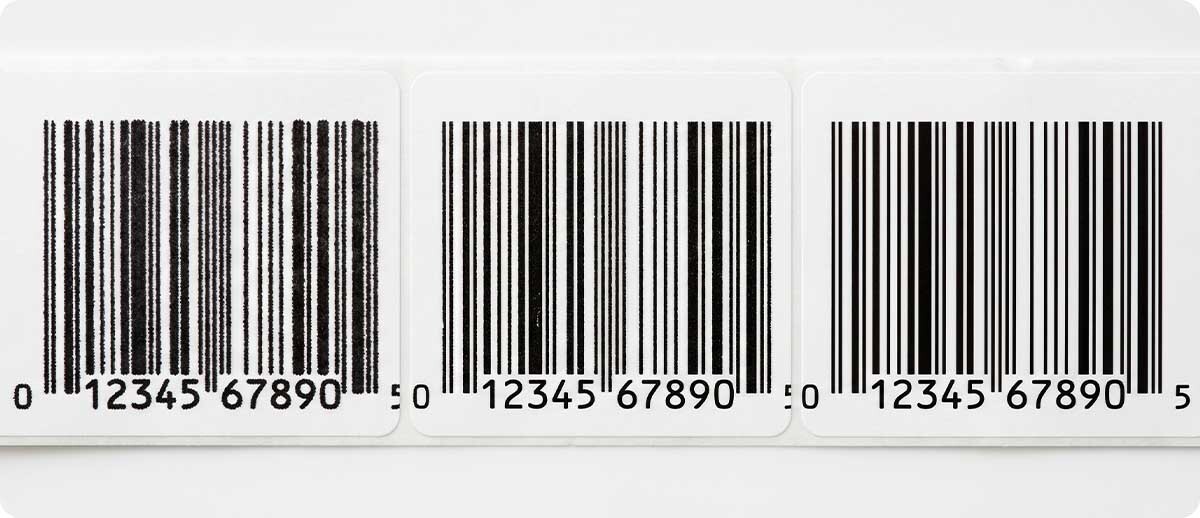
Resolution is one of those printer specifications that generates a disproportionate amount of confusion at the point of purchase. Buyers see 203 DPI, 300 DPI, and 600 DPI options and assume — reasonably — that higher is better. The reality is more nuanced: higher resolution costs more per printhead, reduces maximum print speed, and in many applications produces output that is indistinguishable from 300 DPI at normal scanning distances. Choosing 600 DPI where it isn't needed is wasteful. Choosing 203 or 300 DPI where 600 is required produces labels that fail compliance testing, scan inconsistently, or become unreadable at scale.
The right resolution is the one that matches your actual application — not the highest available, and not the default. This guide covers what DPI actually means in thermal printing, where the resolution tiers genuinely differ in real-world output, and the specific applications where 600 DPI crosses from a nice-to-have into a hard requirement.
What DPI Actually Means in Thermal Printing
DPI — dots per inch — describes the number of individual heating elements per linear inch on a thermal printhead. At 203 DPI, the printhead fires 203 individual dots per inch. At 300 DPI, 300 dots. At 600 DPI, 600 dots — each one half the size of a 300 DPI dot and one-third the size of a 203 DPI dot.
The practical implication is geometric: doubling the DPI doesn't just add more dots — it quadruples the number of dots per square inch. A 300 DPI printhead produces approximately 2.2x more dots per square area than a 203 DPI head. A 600 DPI printhead produces approximately 8.7x more dots per square area than 203 DPI. This is why 600 DPI delivers dramatically sharper output on small features — but also why it comes with meaningful tradeoffs in speed and cost.
The tradeoffs are real and worth understanding before choosing a resolution tier:
Speed: Higher resolution requires more data per label and more precise thermal control. The Zebra ZE511, for example, prints at 18 inches per second at 203 DPI, 14 ips at 300 DPI, and 6 ips at 600 DPI. The ZT610 prints up to 14 ips at 203/300 DPI and slower at 600 DPI. If throughput is the priority and label content doesn't require 600 DPI, operating at that resolution costs you speed you don't need to give up.
Printhead cost: 600 DPI printheads contain twice as many heating elements per inch as 300 DPI heads, with tighter manufacturing tolerances. They cost more to replace. For operations running high daily volumes, printhead replacement is a meaningful operating cost line — and selecting the appropriate resolution for the application extends printhead life by keeping thermal energy requirements matched to what the label actually needs.
Availability: 600 DPI is only available on certain Zebra industrial printer models. It is not available on the ZT421, ZT231, ZE521, or any of Zebra's desktop printers. If your application requires 600 DPI, that requirement determines which printer models are on the table.
Where 203 DPI and 300 DPI Are Genuinely Sufficient
Before getting into where 600 DPI is mandatory, it's useful to be direct about where it isn't — because most operations fall into this category and buying up to 600 DPI for these applications is a straightforward overcost.
Standard shipping and receiving labels (4x6, 4x3): The typical warehouse shipping label — 4 inches wide, carrying a barcode, address block, and some tracking information — is completely well-served by 203 DPI. At 4x6 inches, the barcode elements are large enough that 203 DPI produces clean edges and reliable scan performance. If your primary application is high-volume shipping label printing, selecting 203 DPI and running at maximum speed is the operationally correct choice.
Pallet and carton labels: Large-format labels applied to pallets or carton sides — GS1-128 labels, WMS-generated carton content labels — are printed at sizes where 203 DPI produces fully readable barcodes and clear human-readable text. Nothing about a 4x6 or 6x4 pallet label requires 600 DPI.
Retail price and shelf labels: Consumer-facing price tags, shelf edge labels, and general merchandise identification at standard retail label sizes (2x1, 1x1, 4x2) are adequately printed at 203 or 300 DPI. Barcodes at these sizes and scanning distances don't require sub-millimeter dot precision.
General inventory labels: Asset tags, bin labels, location markers, and internal tracking labels in warehouse or manufacturing environments at standard sizes are well within the capability of 300 DPI and often 203 DPI. The scanner reads the barcode reliably at normal label sizes regardless of resolution tier.
The common denominator in all of these: the label is large enough that the individual barcode elements — the bars and spaces — are significantly wider than a single dot at 203 or 300 DPI. Resolution only becomes a limiting factor when elements are small relative to dot size.
Where 600 DPI Becomes Mandatory
The applications where 600 DPI crosses from optional to required share a common characteristic: the label content includes elements small enough that lower resolution produces blurred, merged, or structurally compromised output that fails to scan reliably or fails visual inspection. There are five primary categories.
1. Micro-Labels for Electronics and PCB Component Marking
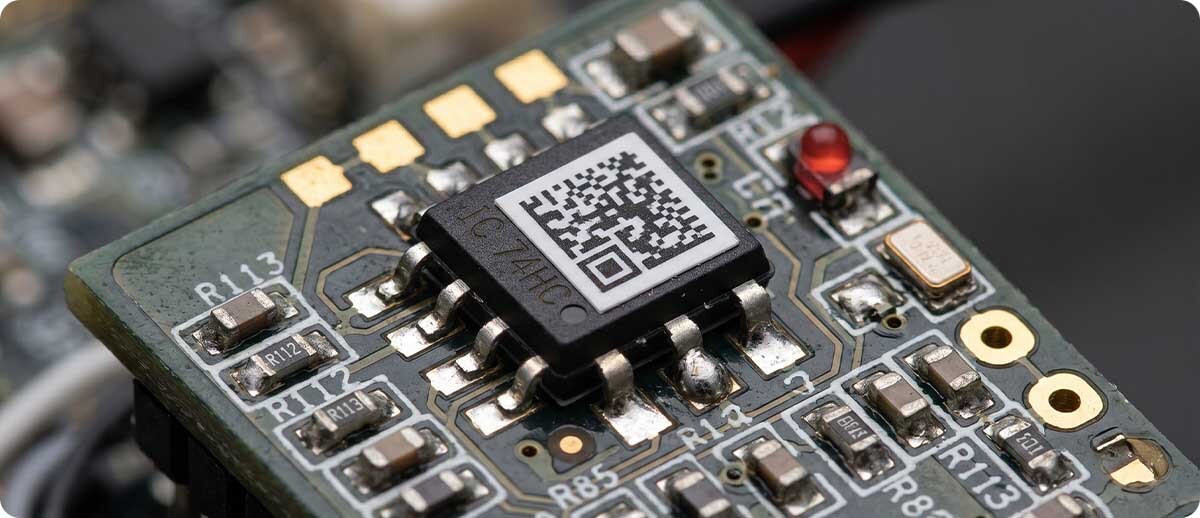
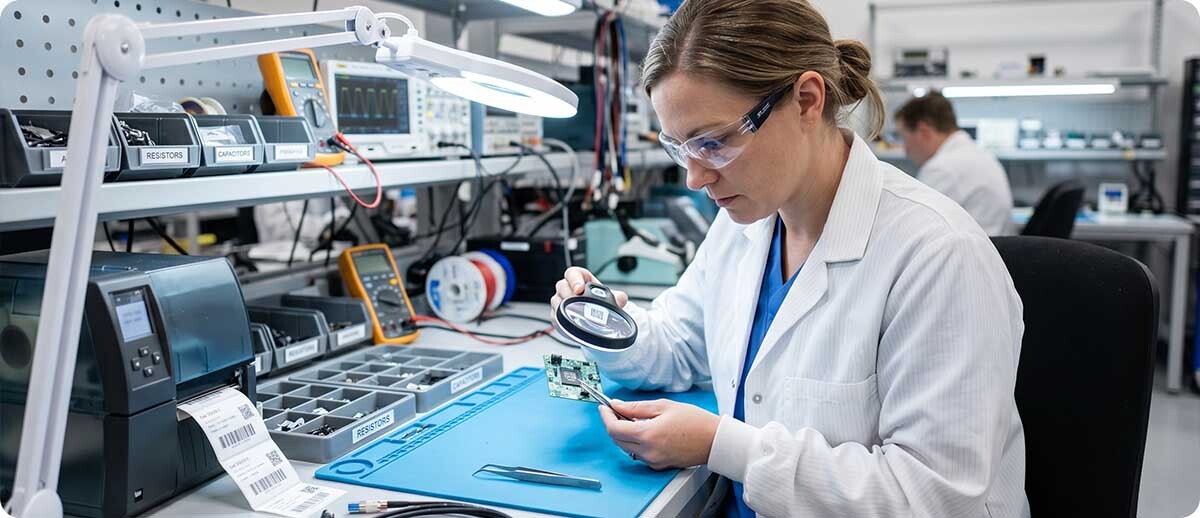
Electronic component labeling — marking individual ICs, resistors, capacitors, connectors, and printed circuit boards — involves labels measured in millimeters. Labels as small as 3mm x 3mm carrying a Data Matrix code, serial number, and part identifier are common in electronics manufacturing and electronics assembly environments. At these dimensions, 203 DPI produces dots that are 0.125mm wide. At 300 DPI, dots are 0.085mm. At 600 DPI, dots are 0.042mm.
For a Data Matrix code at 3mm label width, the individual modules of the 2D code may be only 0.2-0.3mm wide. At 203 DPI, a dot is more than half the module width — adjacent dots merge, module boundaries blur, and the code fails to decode. At 600 DPI, the dot is small enough to faithfully reproduce module boundaries with clean edges. The Zebra ZT610 spec sheet specifically cites 600 DPI printing for labels as small as 3mm for applications like circuit boards, chips, and miniature components.
2. Pharmaceutical and Medical Device Labeling
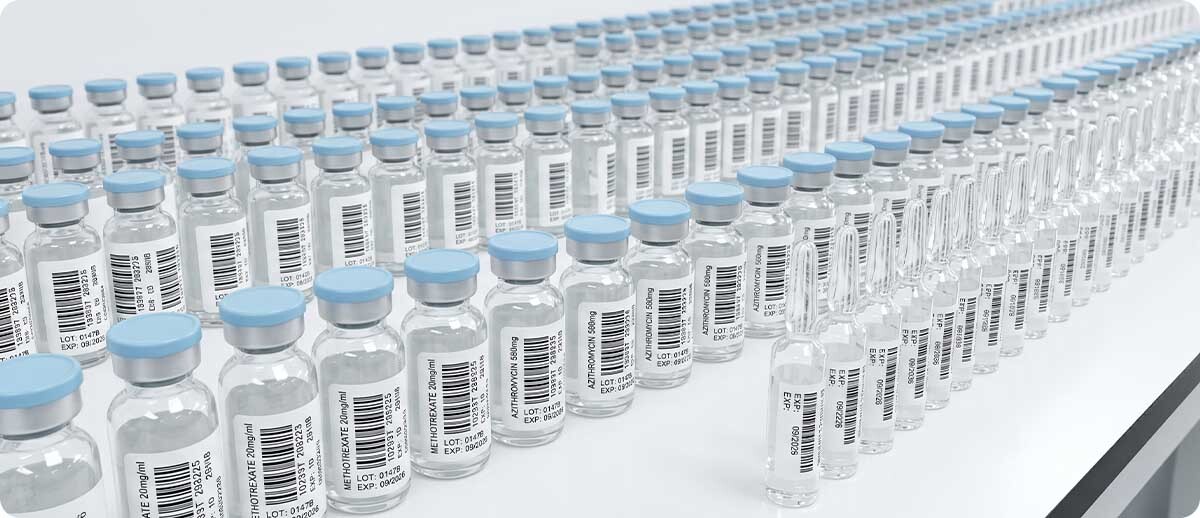
Pharmaceutical labeling operates at the intersection of two demanding requirements: very small label surfaces (unit-dose packaging, ampules, vials, blister packs) and mandatory human-readable text with regulatory-specified minimum font sizes. UDI (Unique Device Identification) requirements from FDA mandate a specific Data Matrix code plus human-readable interpretation on medical device labels, often applied to small surfaces. Drug labeling requirements mandate specific fields — NDC number, lot number, expiration date — in legible text that must remain readable throughout the product's distribution lifecycle.
At 6-point or 8-point font sizes, 300 DPI produces legible but soft text. At 600 DPI, the same font sizes print with sharp, well-defined character edges that remain legible under magnification and in various lighting conditions. For pharmaceutical operations that must pass visual inspection or automated vision verification, 600 DPI is typically the required specification — and some FDA-regulated operations explicitly specify it in their label quality requirements.
3. High-Density 2D Barcodes in Constrained Label Areas
When a 2D barcode — Data Matrix, QR code, PDF417 — must be printed at high information density in a constrained label area, module size decreases as data density increases. A Data Matrix code encoding a long alphanumeric string at high error correction in a 10mm x 10mm space may have modules measuring 0.15-0.25mm. At 300 DPI (0.085mm dot size), the printer is placing dots that are more than one-third the module width — sufficient but with limited margin for dot gain, media variability, or printhead wear effects on edge definition.
At 600 DPI, the dot is roughly one-fifth the module width, producing cleaner module boundaries with more tolerance for real-world variation. The result is more consistent scan performance across the print run and better resilience when labels encounter abrasion, moisture, or handling that degrades the ink surface. For applications where barcode scan failure rate is a tracked quality metric with tight tolerances, 600 DPI provides measurably more margin.
4. Jewelry, Gemstone, and High-Value Asset Tags
Jewelry tags are among the smallest label formats in common commercial use — often 0.75" x 0.375" or smaller, carrying a barcode, price, SKU, and sometimes gemstone grade or certification information. At these dimensions, every element is at the resolution limit of 300 DPI, and the difference between 300 DPI and 600 DPI is clearly visible in the sharpness of barcode bars and the legibility of 4-6 point text. Operations running jewelry tracking systems where scanners must reliably read small barcodes on small tags find that 600 DPI significantly reduces scan failures compared to 300 DPI output at the same label size.
5. Compliance Labels Requiring Fine Graphics and Regulatory Text
Certain compliance label formats — UL recognized labels, OSHA hazard labels, automotive regulatory labels, aerospace part marking — combine barcodes, fine-line graphics, certification marks, and legally mandated text in formats where all elements are printed at sizes where resolution matters. A UL mark or hazard pictogram reproduced at 300 DPI on a small label may show jagged edges that fail visual inspection or that indicate the label was not produced on a validated, appropriately specified printer. When the compliance standard or customer specification calls for a minimum DPI — which some do explicitly — 600 DPI is the documented requirement, not a design preference.
The Quick Diagnostic: Do You Actually Need 600 DPI?
Three questions that give a definitive answer for most operations:
What is the smallest element on your label? Measure the narrowest bar in your barcode or the smallest character in your text. If the smallest bar or character element is 0.25mm or smaller, 300 DPI is marginal and 600 DPI is the safer specification. If smallest elements are 0.5mm or larger, 300 DPI is adequate and 203 DPI may be sufficient for larger labels.
What is the label size? Labels under 1 inch in any dimension carrying a full set of required information content — barcode plus human-readable text plus any graphic elements — are strong candidates for 600 DPI. Labels at 2 inches or larger in both dimensions with standard barcode and text content are typically fine at 300 DPI.
Does your application have a documented resolution requirement? Check your customer's labeling specification, the relevant compliance standard, or your internal quality documentation. If a minimum DPI is stated, it's a hard requirement. If it isn't stated, resolution is your specification to set based on your label design and scan performance requirements.
Zebra 600 DPI Printers at The ZPS Store
600 DPI is available on a specific subset of Zebra's industrial printer lineup. It is not available on desktop printers, the ZT231, the ZT421, or the ZE521. If your application requires 600 DPI, these are the Zebra platforms that deliver it.
Zebra ZT411 Industrial Printer — 4" | 203, 300, or 600 DPI
Part #: ZT41146-T010000Z (600 DPI, standard) | ZT41146-T01000GA (600 DPI, TAA) | multiple configurations
The ZT411 is the entry point into 600 DPI for industrial thermal printing — and for many operations running pharmaceutical, electronics, or compliance labeling, it's the right printer for the job. The 600 DPI configuration is available across the ZT411's connectivity and media handling option set, including tear, peel, and rewind. All-metal construction, 24/7 duty cycle rating, Link-OS for remote management. The 600 DPI printhead is a separately specified configuration at purchase — not a setting you dial in on a standard unit. Printhead conversion kits (P1058930-024) allow upgrading an existing ZT410 or ZT411 from lower resolution to 600 DPI without replacing the printer.
Shop Zebra ZT411 600 DPI →Zebra ZT610 Industrial Printer — 4" | 203, 300, or 600 DPI
Part #: ZT61046-T010100Z (600 DPI, tear) | ZT61046-T210100Z (600 DPI, rewind) | ZT61046-T0101A0Z (600 DPI, RFID) | multiple configurations
The ZT610 is Zebra's highest-specification 4-inch industrial printer and their primary platform for micro-label applications requiring 600 DPI. Zebra explicitly cites the ZT610's 600 DPI capability for labels as small as 3mm — circuit board components, miniature electronic parts, and medical device labeling. Highly precise registration and print line adjustment, specifically engineered for dimensional accuracy at extreme label sizes. Gigabit Ethernet, color touch interface, and the full Zebra Print DNA suite. Available in standard, rewind, and RFID configurations. The ZT610 at 600 DPI is the appropriate specification for operations in electronics, pharmaceutical, and precision compliance labeling that also require high daily volume and 24/7 uptime.
Shop Zebra ZT610 600 DPI →Zebra ZT620 Industrial Printer — 6" | 203, 300, or 600 DPI
Available in 600 DPI configuration | 6-inch wide format
The ZT620 delivers the ZT610's performance and 600 DPI capability in a 6-inch wide format — the right specification for operations that need high-resolution printing across wider label stock. Applications include pharmaceutical case labels, wider compliance labels, and any format where both width and resolution matter simultaneously. Same industrial-grade construction, Link-OS integration, and precision registration as the ZT610.
Browse ZT620 Configurations →Zebra ZE511 Print Engine — 4" | 203, 300, or 600 DPI
Available in 600 DPI configuration | For print-and-apply integration
For print-and-apply operations integrated into production or packaging lines — where the print engine is embedded in an applicator system rather than operating as a standalone printer — the ZE511 delivers 600 DPI in the 4-inch print engine format. 18 ips at 203 DPI, 14 ips at 300 DPI, and 6 ips at 600 DPI. The only Zebra print engine in the ZE511/ZE521 family offering 600 DPI (the 6-inch ZE521 tops at 300 DPI). All-metal construction for 24/7 inline operation. For pharmaceutical, electronics, and compliance label applications run through an integrated print-and-apply system, the ZE511 at 600 DPI is the correct specification.
Browse ZE511 Configurations →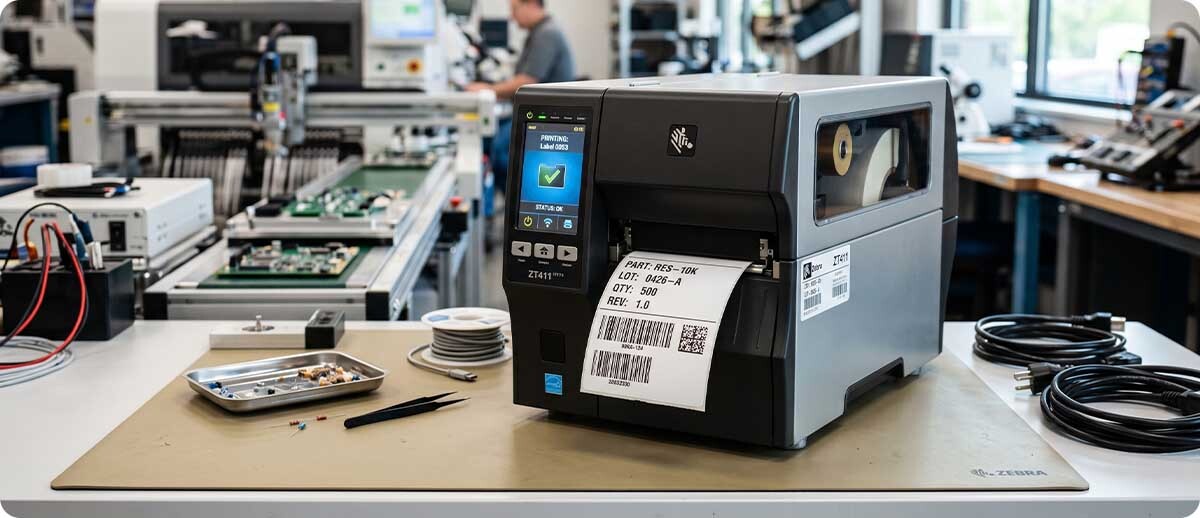
Resolution vs. Print Speed: The Real Tradeoff Table
| Printer | 203 DPI Speed | 300 DPI Speed | 600 DPI Speed | 600 DPI Available |
|---|---|---|---|---|
| Zebra ZT411 (4") | 14 ips | 14 ips | ~6 ips | ✓ Yes |
| Zebra ZT421 (6") | 14 ips | 12 ips | — | ✗ No (300 max) |
| Zebra ZT610 (4") | 14 ips | 14 ips | ~6 ips | ✓ Yes |
| Zebra ZT620 (6") | 12 ips | 12 ips | ~6 ips | ✓ Yes |
| Zebra ZE511 (4" engine) | 18 ips | 14 ips | 6 ips | ✓ Yes |
| Zebra ZE521 (6" engine) | 14 ips | 12 ips | — | ✗ No (300 max) |
| Zebra ZT231 (4") | 12 ips | 10 ips | — | ✗ No (300 max) |
| Zebra Desktop (ZD421/ZD621) | 6 ips | 4 ips | — | ✗ No (300 max) |
Frequently Asked Questions: 600 DPI Printing
Can I upgrade my existing ZT411 from 300 DPI to 600 DPI?
Yes — Zebra sells a printhead conversion kit (P1058930-024) that converts a ZT410 or ZT411 from 203 or 300 DPI to 600 DPI. The conversion requires replacing the printhead and ensuring the printer's firmware and calibration are updated for the new resolution. This is a meaningful cost advantage for operations that already own ZT411 hardware and need to step up to 600 DPI without purchasing a new printer. Conversely, P1058930-023 converts from higher resolution back to 203 DPI if needed.
Is 600 DPI available on any Zebra desktop printer?
No. Zebra's desktop printer lineup — ZD421, ZD621, ZD230, ZD888 and others — tops out at 300 DPI. If your application requires 600 DPI, it requires an industrial printer platform: ZT411, ZT610, ZT620, or ZE511. This is a common point of confusion for buyers who start with a desktop printer and discover the resolution limitation only after their label design is finalized.
Does printing at 600 DPI slow down my operation significantly?
It depends on your volume and label size. At 600 DPI, the ZT610 and ZT411 print at approximately 6 inches per second — roughly half the speed at 300 DPI. For a standard 4x6 label, that's about one label per second. For a 1x1 micro-label, the throughput rate is much higher despite the slower inches-per-second rating. In most applications that genuinely require 600 DPI, the label volume isn't the same as a high-volume shipping operation, and the speed tradeoff is operationally acceptable. If you're printing thousands of 4x6 labels per hour and considering 600 DPI, make sure the resolution is actually needed — if not, 300 DPI at higher throughput is the better choice.
Will 600 DPI improve scan performance on my existing standard-size labels?
At standard label sizes (2x1 and larger) with standard barcode types, the improvement from 300 DPI to 600 DPI in scan performance is negligible in normal conditions. Modern 2D imagers scan 300 DPI barcodes at these sizes reliably under normal conditions. If you're experiencing scan failures at 300 DPI on standard-size labels, resolution is almost certainly not the root cause — printhead wear, ribbon mismatch, media calibration, or label design issues are more likely. Upgrading to 600 DPI to fix a scan problem that isn't caused by resolution wastes money without solving the actual issue.
My customer spec says "minimum 300 DPI." Is 600 DPI better than specified?
Technically yes — 600 DPI exceeds a 300 DPI minimum requirement. Whether that's worth the cost and speed tradeoff depends on whether your label content actually benefits from the additional resolution. If you're printing a standard-size label with a medium-density barcode and readable text, 300 DPI meets the spec and 600 DPI doesn't add meaningful real-world improvement. If your label is small or contains high-density content, exceeding the minimum with 600 DPI adds quality margin that protects scan performance over the label's service life.
Choosing the right resolution comes down to knowing your label — its size, its content density, and what it has to survive to remain scannable. If you're working through a printer selection and want to verify whether 600 DPI is the right call for your specific application, our team can help you evaluate your label design against each resolution tier before you commit to a configuration. Fill out the form below and let's make sure you're specifying the right printer for the job.