
Cold Chain Survival Guide: Why Standard Zebra Hardware Fails in Freezers
Posted by The ZPS Store on Apr 7th 2026
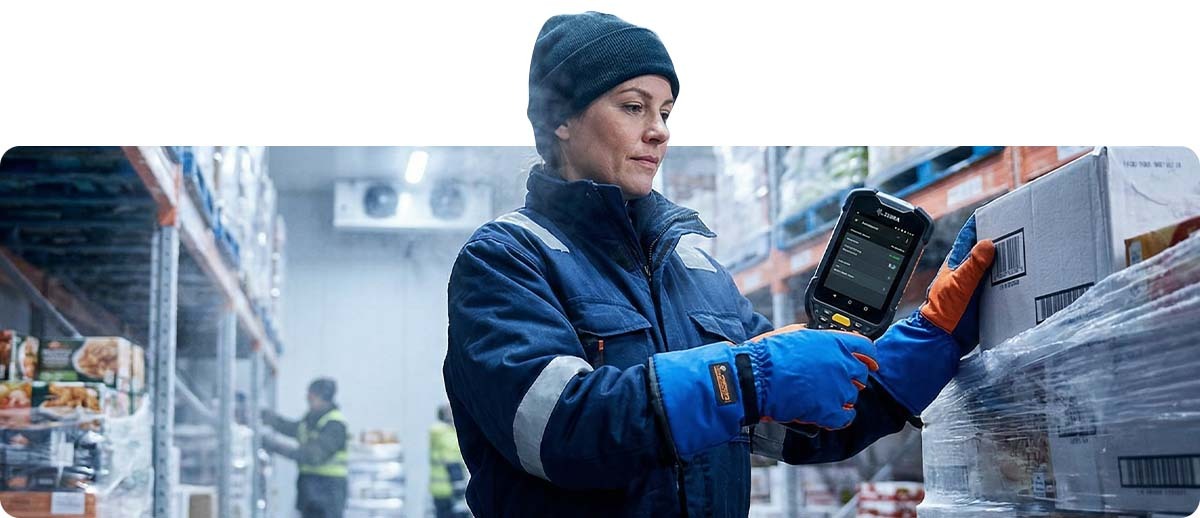
By The ZPS Store | Cold Chain Solutions | Zebra Cold Storage Guide
Cold chain operations — frozen food distribution, pharmaceutical cold storage, refrigerated produce logistics — present a specific and unforgiving set of challenges for barcode hardware. The failure modes are predictable, the physics are well-understood, and yet operations across the country continue to deploy standard hardware in freezer environments and wonder why scanners die, labels fall off, and mobile computers fog up within weeks.
The problem isn't the Zebra brand. Zebra makes excellent cold-rated equipment specifically engineered for these environments. The problem is the word "rugged." A device rated for drops, dust, and moisture is not automatically rated for -20°F operation. Rugged and cold-rated are different specifications, and the distinction matters enormously when your operation depends on reading barcodes in a freezer at 2:00 AM.
This guide breaks down every failure mode — batteries, condensation, adhesives, print mechanisms, touchscreens — explains the physics behind each one, and maps each problem to the specific Zebra cold-rated solution that addresses it.
Understanding the Cold Chain Environment: What Hardware Actually Faces
Before diagnosing failure modes, it helps to understand what "cold chain environment" actually means for barcode hardware — because it's more complex than simply low temperature.
Temperature ranges vary widely by application. A produce cooler runs at 34–40°F. A refrigerated pharmaceutical storage area might be 35–46°F. A blast freezer for frozen seafood operates at -20°F to -40°F. A cryogenic pharmaceutical vault runs at -80°C (-112°F) or colder. Each range creates different failure conditions, and hardware rated for one is not necessarily rated for another.
Workers move between zones constantly. A worker entering a -20°F freezer from a 65°F staging area exposes their device to a 85°F temperature swing in seconds — every time they enter. The condensation event this creates is often more damaging than the cold itself.
Humidity compounds everything. Freezer environments cycle between high moisture when doors open and warm air enters, and extremely dry conditions when sealed. Labels, adhesives, and device seals respond to these cycles in ways that accelerate failure compared to sustained low temperature alone.
Workers wear gloves. Gloved workers cannot operate standard capacitive touchscreens. This is an operational failure that doesn't show up in a spec sheet but stops cold chain workflows dead.
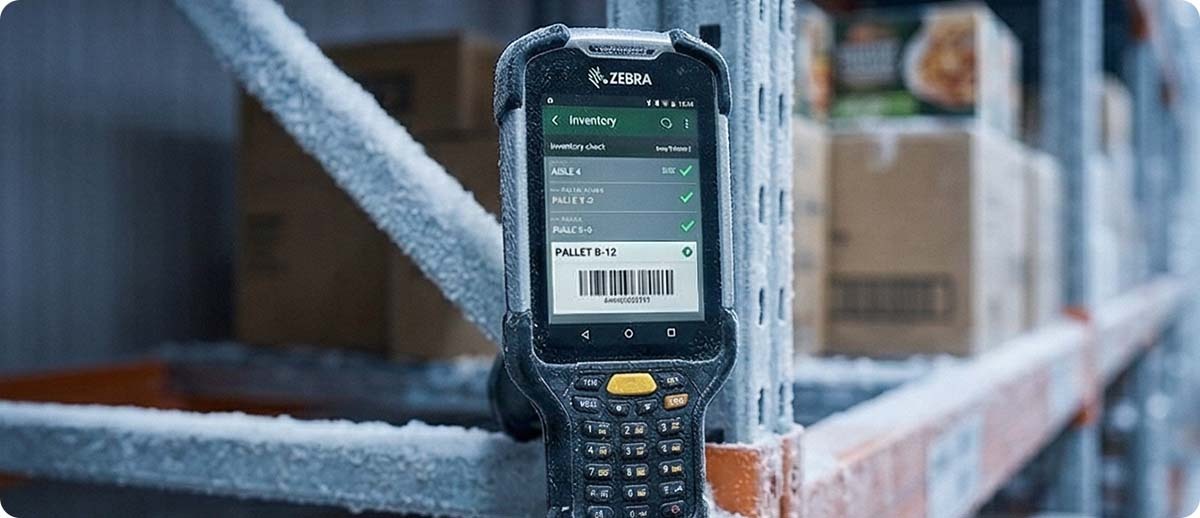
Failure Mode 1: Battery Death — Why Your Scanner Dies in the Freezer
What happens: A device shows a full charge in the dock area. The worker enters the freezer. Within 15–30 minutes — sometimes within minutes — the device dies or reports critically low battery. Back outside, it recovers. The battery tests fine on a bench charger. The problem repeats every shift.
The physics: Standard lithium-ion batteries rely on a chemical reaction between electrodes and electrolyte. Cold temperatures slow the ionic movement that produces current. At 32°F, a standard Li-ion cell delivers roughly 80% of its rated capacity. At 14°F (-10°C), that drops to around 50–60%. At -20°F (-29°C) — common in frozen food distribution — standard Li-ion chemistry becomes so sluggish that the battery can fail to deliver enough current for the device to operate at all, even with cells that are physically intact and fully charged.
The battery isn't dead — it's chemically throttled by cold. Once it warms up, capacity returns. But in a freezer operation, "warms up" means "leave the freezer," which defeats the purpose.
The critical distinction: "Rugged" mobile computers and scanners are often rated for storage in cold temperatures — meaning they won't be physically damaged by being left in the cold overnight. Operating in cold temperatures — meaning they function while being actively used in the cold — is a different and stricter specification. Always verify the operating temperature rating, not just the storage temperature rating, when evaluating hardware for freezer deployment.
Failure Mode 2: Condensation — The Silent Device Killer
What happens: A device works fine in the freezer. The worker exits to the staging area. The scanner or mobile computer immediately fogs over — both the scan window and the display. Sometimes the device reboots. Over days or weeks, the fogging gets worse, scan performance degrades, or the device fails entirely.
The physics: When a cold device enters warm, humid air, moisture condenses on every surface — including internal surfaces. The scan window fogs externally, blocking the laser or imager. Internal optics fog on the scan engine itself. Moisture migrates through gaskets and connector openings onto circuit boards, where it causes corrosion and short circuits. The first few condensation events may cause no lasting damage. Repeated cycling accelerates corrosion. Cumulative moisture damage manifests as intermittent failures, degraded scan performance, and eventually hard device failure weeks after the initial exposure — making it difficult to trace back to condensation as the root cause.
Why standard IP ratings aren't enough: A standard IP65 or IP67 rating confirms the device resists water ingress under specific static test conditions. It does not certify performance through repeated thermal cycling — the rapid temperature swings of a cold chain environment. Seals and gaskets that perform well in a water immersion test may not maintain their integrity through thousands of freezer entry and exit cycles.
Failure Mode 3: Labels That Peel, Fall Off, or Won't Scan
What happens: Labels applied in the warm staging area peel off in the freezer. Labels applied directly in the freezer won't adhere at all. Labels that appear stuck fail days later when product cycles between temperature zones. Barcodes that scanned cleanly in receiving become unreadable in cold storage — not because the barcode changed, but because the label substrate has contracted, distorted, or developed condensation under the face stock.
The adhesive problem: Standard permanent acrylic adhesives are formulated to flow and wet out onto label surfaces at room temperature. In cold environments, acrylic adhesives stiffen significantly — a property called glass transition. Below their glass transition temperature, they stop flowing, lose initial tack, and can no longer conform to surface irregularities. A label that seems stuck can be peeled off with almost no force because the adhesive never properly wetted the surface. This is why labels applied in warm staging areas and then exposed to freezer temperatures often peel — the adhesive was never designed to maintain bond strength at those temperatures.
The substrate problem: Paper label facestock absorbs moisture and becomes brittle in freeze-thaw cycles. Paper labels in freezer environments warp, wrinkle, and delaminate — physically distorting the barcode printed on them until it falls outside the grade threshold for reliable scanning. The barcode doesn't need to be completely unreadable to cause problems — a grade B barcode in good conditions becomes a grade D or F barcode after repeated thermal cycling.
The ribbon problem (thermal transfer printing): Standard wax thermal transfer ribbon becomes brittle in cold and can crack or smear rather than cleanly transferring ink to the label surface. Wax-resin or full resin ribbons are required for cold chain label printing — and the printer producing those labels must be operating at a temperature where the printhead can properly transfer the ribbon to the substrate.
Failure Mode 4: Touchscreens and Keypads That Don't Work With Gloves
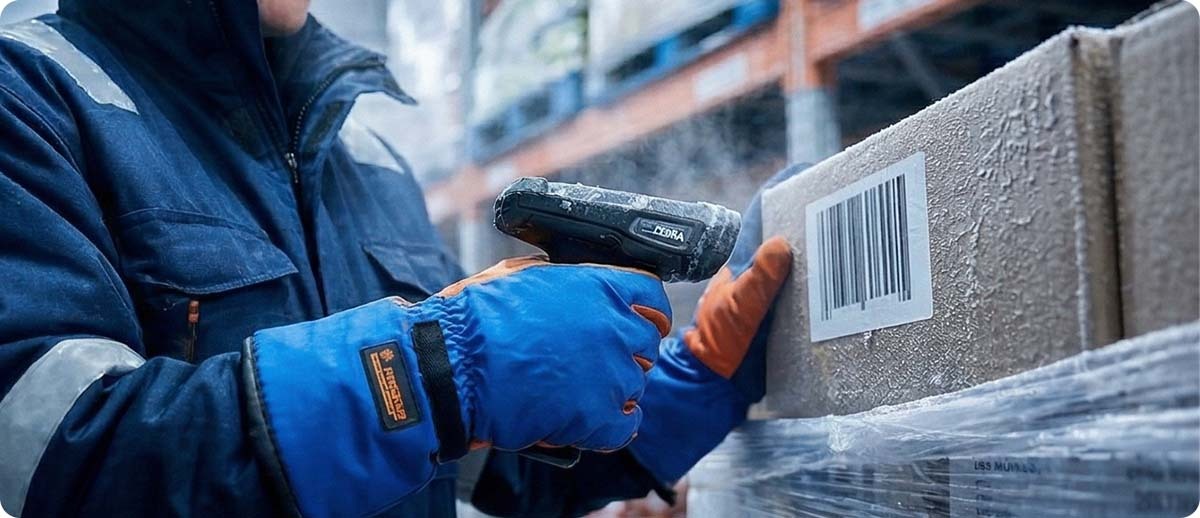
What happens: Workers in freezer environments wear insulated gloves. Standard capacitive touchscreens require bare skin or a conductive stylus to register input. Gloved workers cannot operate a standard touchscreen — period. Operations work around this by having workers remove gloves to interact with devices, introducing cold exposure risk, or by not using touchscreen features at all.
Why this matters operationally: Cold chain devices need to be operable with standard cold-weather work gloves, not just thin "touchscreen compatible" gloves that provide inadequate insulation in -20°F environments. Physical keypads — a hallmark of purpose-built cold storage devices like the Zebra MC9300 and MC9400 Cold Storage variants — solve this problem entirely. Workers interact with physical keys regardless of what they're wearing on their hands.
The Zebra Cold Chain Hardware Stack
The ZPS Store carries Zebra's purpose-built cold storage hardware across every category your cold chain operation requires. Each product below is specifically designed or rated to address the failure modes above — not standard hardware deployed in cold and hoped for the best.
Mobile Computers — Cold Storage Rated
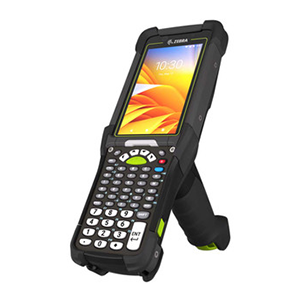
Zebra MC9400 Mobile Computer — Cold Storage
Part #: MC9401-0G1M6DCS-NA (and variants)
Zebra's latest ultra-rugged MC9000-series mobile computer in a cold storage configuration specifically engineered for freezer operation. Cold storage variants include a specially formulated battery chemistry and sealing designed to maintain performance through repeated freeze-thaw cycling. Physical keypad — workers operate in full insulated gloves without workarounds. The MC9400 Cold Storage is powered by the latest Qualcomm platform with Wi-Fi 6E connectivity. Backwards compatible with all MC9300 accessories. The go-to platform for high-volume freezer operations requiring a full-featured mobile computer with keypad.
Shop the MC9400 Cold Storage →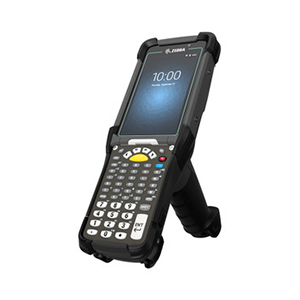
Zebra MC9300 Mobile Computer — Cold Storage
Part #: MC930P-GFHDG4NA (and variants)
The proven predecessor to the MC9400 in Zebra's ultra-rugged MC9000 series. Cold storage configuration with freezer-rated battery and sealing for sustained freezer operation. Physical keypad for gloved use. If you're running an existing MC9300 fleet elsewhere in your facility, cold storage variants extend that ecosystem into your freezer without a new device management platform. All MC9300 Cold Storage accessories are forward compatible with the MC9400.
Shop the MC9300 Cold Storage →Wearable Scanners — Cold Storage Rated
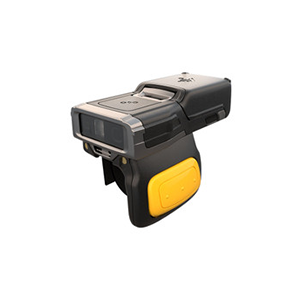
Zebra RS6100 Wearable Scanner — Cold Storage
Part #: RS61B0-KFSSYWR
Zebra's most capable wearable ring scanner in a purpose-built cold storage configuration with a freezer battery rated for operation from -30°C to +50°C (-22°F to +122°F). This operational temperature range covers even the most demanding blast freezer environments. SE55 multi-focus scan engine reads virtually any 1D or 2D barcode regardless of damage, orientation, or print quality — critical for cold chain applications where label condition degrades over time. Hands-free scanning means workers never set down product to scan, maintaining cold chain integrity. Single trigger configuration. The RS6100 Cold Storage is the solution for high-volume order picking, inventory counting, and receiving in freezer environments where mobile computer size and weight are operationally impractical.
Shop the RS6100 Cold Storage →Mobile Printers — For Cold Chain Labeling at the Point of Work
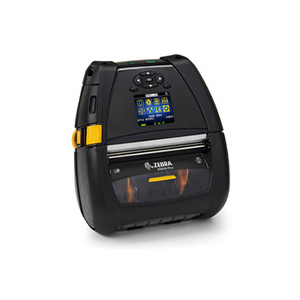
Zebra ZQ630+ Mobile Printer
Part #: ZQ63-AUXA004-00 (and variants)
4-inch direct thermal mobile printer designed for high-volume label and receipt printing in demanding environments including cold chain staging areas. Can be mounted on a forklift for print-at-point-of-work labeling at dock doors and receiving stations. Advanced battery technology with instant wake-on and high battery capacity for extended shifts. 802.11ac dual-radio Wi-Fi and Bluetooth 4.2. Large color display with status icons. For cold chain applications, pair with cold-rated label stock — the ZQ630+ prints the label, but the label substrate must be specified for the temperature range where it will be applied and stored. Note: When printing labels for freezer application, always apply labels before freezer entry where possible, or use all-temp adhesive labels rated for application at temperature.
Shop the ZQ630+ Series →Cold Chain Labels — Matching the Right Media to Your Temperature Range
Label selection is where cold chain operations most commonly get it wrong — choosing "freezer label" generically when the correct choice depends on the specific temperature range, whether labels are applied inside or outside the freezer, and what the label will be exposed to over its service life. Here is the ZPS Store cold chain label spectrum:
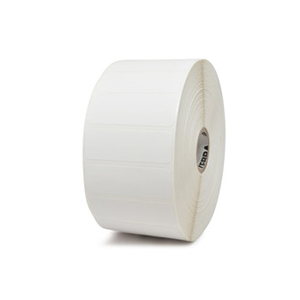
Zebra Z-Perform 2000D — All-Temp Adhesive
Direct thermal paper label | Service temp: -65°F to 200°F (-54°C to 93°C)
The workhorse all-temp label for cooler and standard cold storage applications. Coated direct thermal paper with an all-temperature permanent acrylic adhesive that maintains bond strength and initial tack across temperature ranges that defeat standard paper adhesives. Suitable for cooler applications (34–40°F), refrigerated pharmaceutical storage, and short-duration frozen applications where product moves quickly through the cold chain. Not recommended for blast freezer or sustained below-zero applications — step up to Z-Select 4000D or synthetic for those environments.
Browse Z-Perform Labels →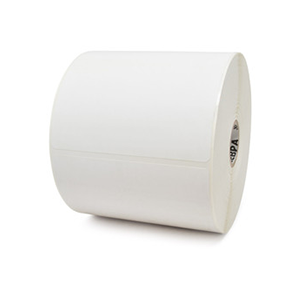
Zebra Z-Select 4000D — All-Temp Premium
Direct thermal coated paper | Application and service down to -20°F (-29°C)
Premium all-temp direct thermal label for freezer-grade applications. The Z-Select 4000D features an ultra-smooth coated paper facestock and all-temp permanent acrylic adhesive that can be applied and remain in service down to -20°F. The premium topcoat provides superior image quality and better resistance to moisture and condensation than Z-Perform. Right choice for frozen food distribution centers where labels need to survive blast freezer temperatures and repeated freeze-thaw cycles during distribution. Still a paper substrate — for applications involving heavy moisture exposure, abrasion, or longer service life in extreme conditions, move to the 8000T CryoCool.
Browse Z-Select Labels →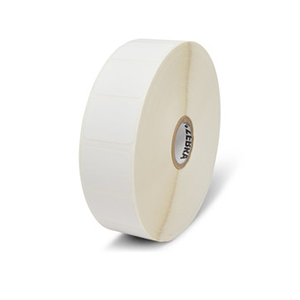
Zebra 8000T CryoCool
Thermal transfer polypropylene synthetic | Rated to -196°C (liquid nitrogen) for cryogenic; sustained extreme cold for freezer logistics
The top of the Zebra cold chain label hierarchy. The 8000T CryoCool is a thermal transfer polypropylene synthetic label with a permanent acrylic adhesive engineered specifically for extreme cold environments — from pharmaceutical ultra-low temperature freezers (-80°C) and cryogenic vial storage (liquid nitrogen, -196°C) to the demanding freeze-thaw cycling of frozen food logistics. Unlike paper labels, the polypropylene facestock does not absorb moisture, warp, or become brittle in extreme cold. Barcodes remain crisp and scannable through repeated freezing, thawing, and handling. Available in multiple standard and custom sizes from The ZPS Store. Requires resin ribbon for thermal transfer printing — pair with Zebra resin ribbon for maximum image durability in cold environments.
Shop 8000T CryoCool Labels →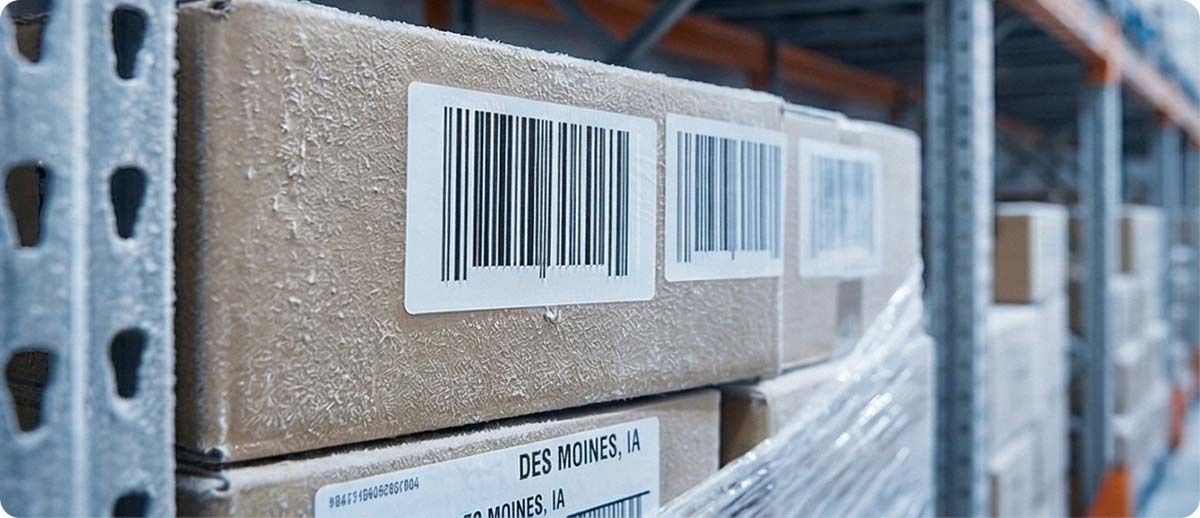
Quick Selection Guide: Matching Hardware to Your Cold Chain Environment
| Environment | Temp Range | Recommended Label | Recommended Device |
|---|---|---|---|
| Produce/dairy cooler | 34–40°F | Z-Perform 2000D all-temp | Standard rugged Zebra device |
| Refrigerated pharma | 35–46°F | Z-Select 4000D all-temp | Standard or cold-storage Zebra |
| Frozen food distribution | 0°F to -20°F | Z-Select 4000D or 8000T CryoCool | MC9300/MC9400 Cold Storage, RS6100 Cold Storage |
| Blast freezer | -20°F to -40°F | 8000T CryoCool (required) | MC9400 Cold Storage, RS6100 Cold Storage |
| Ultra-low temp pharma (-80°C) | -112°F (-80°C) | 8000T CryoCool (required) | Label outside; device stays outside |
| Cryogenic / liquid nitrogen | -196°C | 8000T CryoCool (required) | Label only; no device enters |
Cold Chain Operational Best Practices
Even with the right hardware, cold chain barcode operations benefit from consistent operational discipline. These practices apply regardless of which Zebra cold-rated products you're running:
Apply labels before freezer entry whenever possible. All-temp adhesives perform best when applied at room temperature and then exposed to cold — the adhesive has time to wet out properly before stiffening. Labels applied directly to frozen or near-frozen surfaces see far higher failure rates than those applied in a staging area at ambient temperature.
Allow devices to equilibrate before use after temperature transitions. Giving a cold-storage device 5–10 minutes in the staging area before entering the freezer, and allowing a warm device to cool before extended freezer use, reduces thermal shock stress on seals, optics, and battery chemistry.
Store charging cradles outside the freezer. Charging lithium batteries in extreme cold is inefficient and can cause cell damage. Cold storage devices should be charged in the ambient staging area, not inside the freezer environment.
Inspect scan windows regularly. Cold chain environments accumulate condensation and frost on device exteriors. A dirty or frosted scan window degrades scan performance dramatically — regular cleaning during shift breaks maintains consistent read rates.
Verify label adhesion at the application temperature, not just at room temperature. If a label is being applied inside a cooler or freezer, test adhesion by applying a sample label at that temperature and observing whether it bonds and remains adhered after 30 minutes. A label that seems to stick initially but fails adhesion testing is telling you the adhesive is unsuitable for that application temperature.

Frequently Asked Questions: Zebra Hardware in Cold Chain Environments
How do I know if my current Zebra scanner is rated for freezer operation?
Look for the operating temperature specification in the product data sheet — specifically the lower end of the operating range, not the storage range. An operating temperature of 32°F (0°C) minimum means the device is not rated for freezer use. A device rated to -22°F (-30°C) operating temperature — like the RS6100 Cold Storage — is purpose-built for it. If your current device has a 32°F or higher minimum operating temperature, it is not rated for freezer deployment.
Can we use standard Zebra mobile computers in a cooler (35–40°F) environment?
Many standard rugged Zebra devices are rated to 32°F (0°C) operating temperature, so a cooler environment at 35–40°F falls within their operating range. Battery performance will be somewhat degraded compared to room temperature but should remain functional. The bigger issue in cooler environments is often condensation from workers moving in and out — ensure the device is properly sealed and inspect it regularly for moisture ingress. For sustained cooler deployments with frequent warm/cold cycling, cold-storage rated devices offer significantly more durability over time.
Do we need a special printer to print labels that will go into a freezer?
Not necessarily — the printer itself doesn't need to be freezer-rated if it's located in your ambient staging area. What matters is that the label stock and ribbon you're printing are appropriate for cold chain application. Use all-temp adhesive labels (Z-Select 4000D or 8000T CryoCool depending on temperature range) and pair with Zebra resin ribbon for thermal transfer printing. The wrong label or ribbon run through a standard printer produces labels that will fail in the freezer regardless of the printer quality.
Our labels are falling off in the freezer even though they're listed as "freezer grade." What's wrong?
The most common causes are: (1) labels being applied at freezer temperature rather than at ambient temperature — all-temp adhesives still bond best when applied above 32°F; (2) the surface being labeled has frost, ice, or condensation on it — no adhesive bonds reliably to a wet or frozen surface; (3) the label is "freezer grade" for cooler temperatures but not for blast freezer temperatures — verify the actual application temperature range on the label spec sheet, not just the marketing description; (4) standard wax ribbon was used for thermal transfer printing on a synthetic label — resin ribbon is required for proper adhesion in cold environments.
Where can I browse all of The ZPS Store's cold storage Zebra products?
The ZPS Store has a dedicated cold storage solutions page at zpsstore.com/cold-storage where you can browse cold-rated Zebra mobile computers, scanners, tablets, and printers all in one place. For cold chain labels, browse the full Zebra labels catalog and filter by application type, or contact our team to confirm the right label specification for your temperature range and surface type.