
Direct Part Mark Scanning: What It Is, When You Need It, and How Zebra's Software Makes It Work
Posted by The ZPS Store on Sep 9th 2026
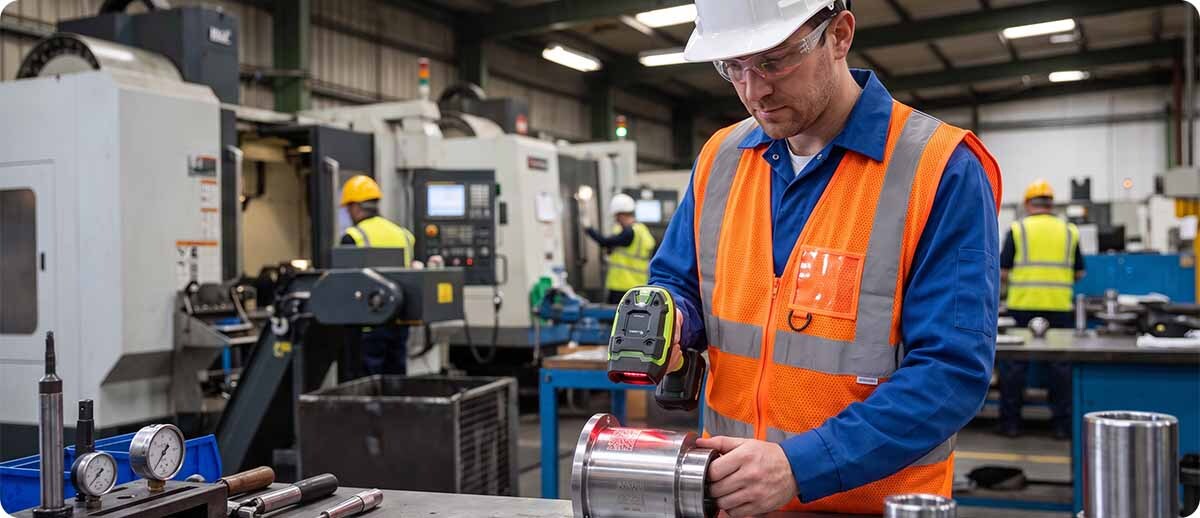
By The ZPS Store | Manufacturing & Industrial Scanning | DPM Scanning Guide
Direct Part Mark scanning is a manufacturing and industrial traceability topic that most warehouse-focused scanner guides don't cover. This one does. It covers what DPM actually is, which industries use it and why, which scanner hardware is designed for it, and how Zebra's software stack turns a DPM-capable scanner into a fully integrated part of your production data infrastructure rather than a standalone read device.
What Direct Part Marking Actually Is
Why mark directly into the part instead of using a label?
Labels fall off. In manufacturing environments where parts are subjected to heat, chemical exposure, machining, painting, or high-pressure washing, a label that was perfectly applied at the start of the production process may be gone or unreadable long before the part reaches the end of its lifecycle. A mark etched or stamped directly into the material surface survives everything the part survives.
This makes DPM essential for traceability programs that need to follow a part through its entire life, from manufacture through assembly, service, and end-of-life. Automotive manufacturers tracking engine components across decades of service life, aerospace manufacturers maintaining part records for aircraft in service for 30 years or more, and medical device manufacturers complying with UDI regulations that require permanent identification on reusable devices all use DPM because no label lasts long enough to do the job.
What are the common DPM marking methods?
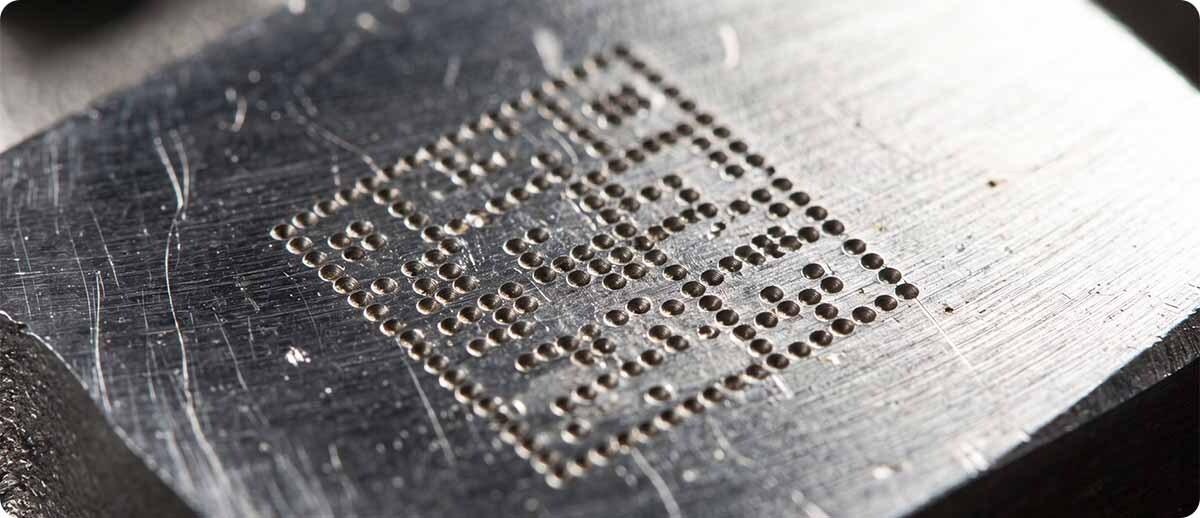
Dot peen marking uses a sharp tool that repeatedly impacts the surface at precise locations, creating a pattern of small indentations that form a Data Matrix or other 2D code. It's the most common DPM method in automotive and industrial manufacturing and produces a low-contrast mark on a reflective metal surface that is notoriously difficult for standard scanners to decode.
Laser etching removes surface material with a laser, producing a mark that is high contrast and highly precise. It's common in electronics manufacturing, medical devices, and aerospace components where the mark needs to be very small and very accurate.
Chemical etching, inkjet molding, and thermal spray are less common but used for specific materials where mechanical or laser marking isn't practical. Each method produces marks with different contrast, depth, and surface characteristics that affect how a scanner reads them.
The preferred code format for DPM is Data Matrix, a 2D square code that encodes a significant amount of data in a small physical footprint and is tolerant of partial damage. QR codes are also used in some industries. Both require a 2D imager to read, but even most 2D imagers struggle with DPM codes because the illumination geometry designed for reading printed labels doesn't work well on marks etched into curved, reflective, or low-contrast surfaces.
Why DPM Requires a Different Scanner
Why can't a standard 2D imager read DPM codes reliably?
Standard barcode imagers are optimized for printed labels. Their illumination is designed to produce contrast on ink against paper, where the difference between the dark and light elements is strong and consistent. A Data Matrix code dot-peened into a stainless steel surface doesn't have that contrast. The dots are shallow indentations on a reflective background. The illumination from a standard imager bounces off the metal in ways that wash out the code rather than revealing it.
DPM scanners use specialized illumination geometry, often multiple light sources at different angles, specifically designed to cast shadows into the dot peen indentations or reveal the surface texture differences created by laser etching. The decoding algorithms are also specifically tuned for low-contrast marks on challenging surfaces. A standard imager that reads printed labels perfectly may fail entirely on the same Data Matrix code when it's etched into metal rather than printed on a label.
The Zebra DS3608-DP and DS3678-DP
What makes the DS3600-DP series specifically built for DPM?
The Zebra DS3608-DP (corded) and DS3678-DP (cordless) use Zebra's PRZM Intelligent Imaging technology with advanced multi-angle illumination specifically engineered for DPM reading. The illumination captures dot peen, laser etch, ink mark, chemical etch, inkjet mold, cast, and thermal spray marks on virtually any surface, including the most challenging DPM method, dot peen on curved or irregular metal surfaces.
Critically, the DS3600-DP also reads standard printed 1D and 2D barcodes on labels. This dual functionality means the same scanner handles both the DPM codes on parts earlier in the production process and the standard barcode labels on packaging, pallets, and shipping cartons later. One scanner handles end-to-end traceability from raw parts through finished goods shipping rather than requiring different scanners at different stages.
On the ruggedness side, the DS3600-DP survives 10-foot drops to concrete, 7,500 tumbles, and dual IP65/IP68 sealing. In the manufacturing environments where DPM scanning is most common, washdown, metal chips, cutting fluid, and extreme temperatures are everyday conditions. The DS3600-DP handles these without the scanner becoming a maintenance problem of its own.
Zebra DS3608-DP and DS3678-DP Ultra-Rugged DPM Scanners
DPM 1D/2D | PRZM Intelligent Imaging | 10ft drop, 7,500 tumbles | IP65/IP68 | DS3608 corded, DS3678 cordless
DS3678-DP3U4212S1W: Cordless, DPM, USB kit
DS3678-DPAU42A2S1W: Cordless, DPM, USB kit
DS3678-DP3RF50AS1W: Cordless, DPM, Ethernet kit
DS3608-DP3U4602ZVW: Corded, DPM, USB kit
Shop DS3608-DP and DS3678-DP →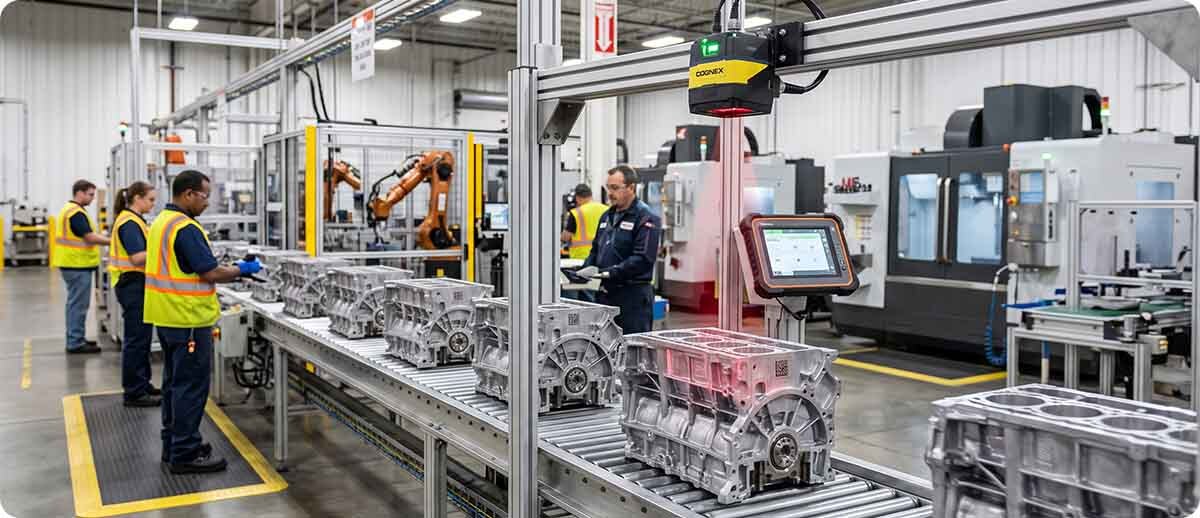
Where Software Turns a DPM Scanner Into a Fleet Asset
What happens after the DPM code is read?
A scanner that reads a DPM code produces a data string. What happens to that data string determines how much value the traceability scan actually generates. On a standalone scanner, the data goes wherever the host system receives it and the scanner has no intelligence about what it read or what should happen next. On a scanner in a properly configured Zebra software environment, the scan event triggers a workflow.
Zebra's DataWedge software runs on all Zebra Android mobile devices and handles the data routing from the scanner to the application. When the DS3678-DP is paired to a Zebra TC53 or MC9400 running DataWedge, the scanned DPM data can be automatically formatted, parsed, and routed to the right application field without any manual data entry. A part number encoded in a Data Matrix mark on a machined component gets into the traceability system as a structured, accurate record rather than a raw data dump. Workers don't type part numbers. They scan, the data goes where it belongs, and the record is created.
How does fleet management software improve DPM scanning operations at scale?
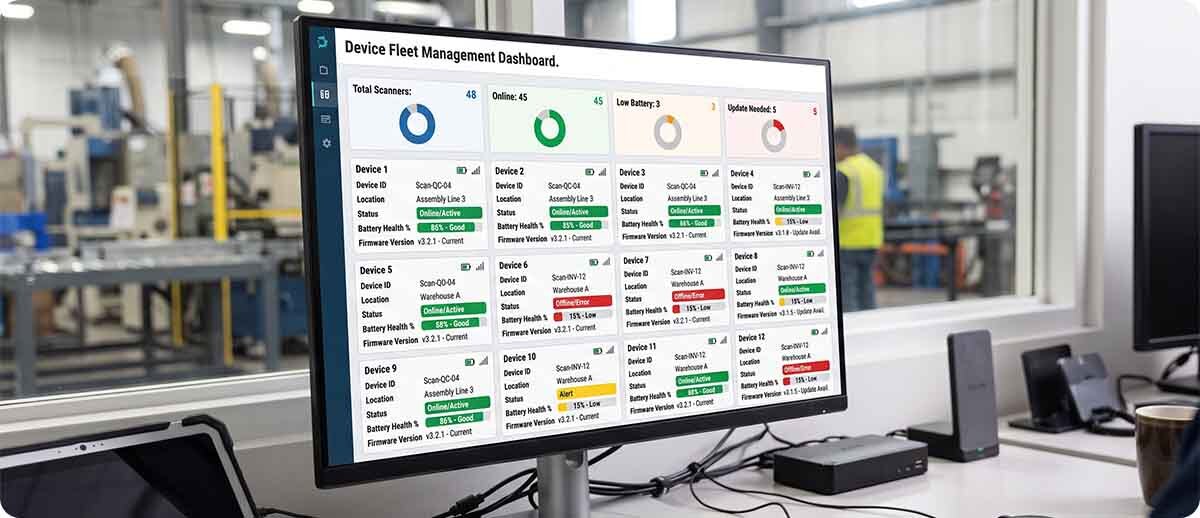
A manufacturing operation running DPM scanning at multiple workstations or across multiple production lines is managing a fleet of scanners, not just individual devices. Zebra DNA Cloud gives IT administrators a centralized dashboard showing the status, battery health, and firmware version of every device in the fleet. Scanner firmware updates that improve DPM decode performance can be pushed to the entire fleet over the air rather than requiring physical access to each device. Configuration changes can be applied to all DPM scanners simultaneously rather than one at a time.
Remote diagnostics through Zebra's scanner management tools also provide visibility into scan event logs, decode failure rates, and device health metrics that help operations teams identify when a scanner's DPM performance is degrading before it starts causing production line slowdowns. In high-volume manufacturing where every minute of scanner downtime affects throughput, that proactive visibility is operationally valuable.
What is the difference between using a cordless DPM scanner paired to a mobile computer versus a corded scanner at a fixed station?
The corded DS3608-DP is the right choice for fixed scan stations where parts come to the scanner on a conveyor, fixture, or workbench. It connects directly to a PC or PLC host, produces no Bluetooth latency, and doesn't require battery management. For high-throughput fixed-position scanning where the setup doesn't change, corded is simpler and more reliable.
The cordless DS3678-DP paired to a Zebra mobile computer is the right choice when workers move between scan points, when parts are scanned in multiple locations along a production line, or when the flexibility to scan anywhere in the facility matters more than the simplicity of a fixed connection. The mobile computer handles the application and data routing while the DS3678-DP handles the DPM read, giving workers a complete mobile traceability station that goes wherever the work is.
Which Industries Use DPM Scanning?
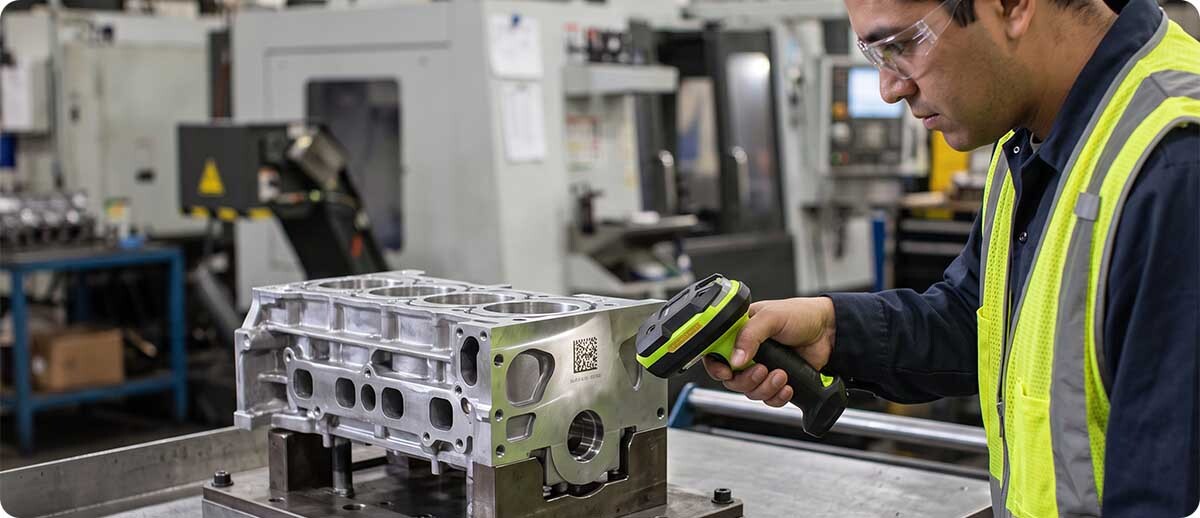
Automotive manufacturing. Engine components, transmission parts, chassis components, and safety-critical parts are DPM marked for traceability through assembly, quality inspection, warranty tracking, and recall management. VIN-linked part traceability is a standard requirement from most automotive OEMs for their Tier 1 and Tier 2 suppliers.
Aerospace and defense. Aircraft parts are tracked from manufacture through the entire service life of the aircraft, potentially 30 or more years. Permanent DPM marking is the only identification method that survives that timeline. DoD IUID (Item Unique Identification) requirements mandate DPM on many defense contract components.
Medical devices. FDA UDI (Unique Device Identification) regulations require permanent marking on reusable medical devices. Surgical instruments, implantable devices, and durable medical equipment that goes through repeated sterilization cycles need DPM because no label survives autoclave sterilization.
Electronics manufacturing. Circuit boards, semiconductor components, and precision electronic assemblies are DPM marked for quality control, failure analysis, and supply chain traceability. Laser etching on very small components at high density is common in this sector.
Quick Questions
Our current scanner reads Data Matrix codes on labels. Will it read DPM Data Matrix codes on metal parts?
Probably not reliably. The Data Matrix format is the same but the illumination challenge on a DPM code is fundamentally different from a printed label. A standard 2D imager may occasionally read a clean, high-contrast laser-etched mark under good lighting conditions, but will struggle consistently with dot peen on metal, marks under cutting fluid or oil contamination, or marks on curved surfaces. If your current scanner is missing DPM reads, failing intermittently, or requiring workers to reposition the scanner multiple times per read, it's not the right tool for DPM. The DS3608-DP or DS3678-DP is.
Do we need a separate scanner for DPM and another for our label barcodes?
No. The DS3608-DP and DS3678-DP read both DPM codes and standard printed 1D and 2D barcodes on labels. One scanner covers the full traceability workflow from marked parts through labeled packaging. This is one of the most operationally valuable aspects of the DS3600-DP series for manufacturing operations that handle both types of identification in the same workflow.
We're starting a DPM traceability program from scratch. What's the right hardware and software combination to start with?
The hardware baseline is the DS3678-DP for mobile scanning or the DS3608-DP for fixed stations. On the software side, Zebra DataWedge handles scan data routing to your traceability or manufacturing execution system, and Zebra DNA Cloud handles fleet management if you're running multiple scanners. The right pairing between the scanner and a mobile computer depends on whether your workflow is fixed-station or mobile. Fill out the form below and describe your specific production environment and we can recommend the right configuration before you order.
If you're evaluating DPM scanning for a manufacturing or industrial traceability program and want to talk through the hardware and software combination before committing to a configuration, fill out the form below. We can help you spec the right scanner, the right mobile computer pairing, and the right software setup for your specific production environment.