
Zebra Designer Pro V3: What It Does, When You Need It, and When the Free Version Is Enough
Posted by The ZPS Store on Jul 27th 2026
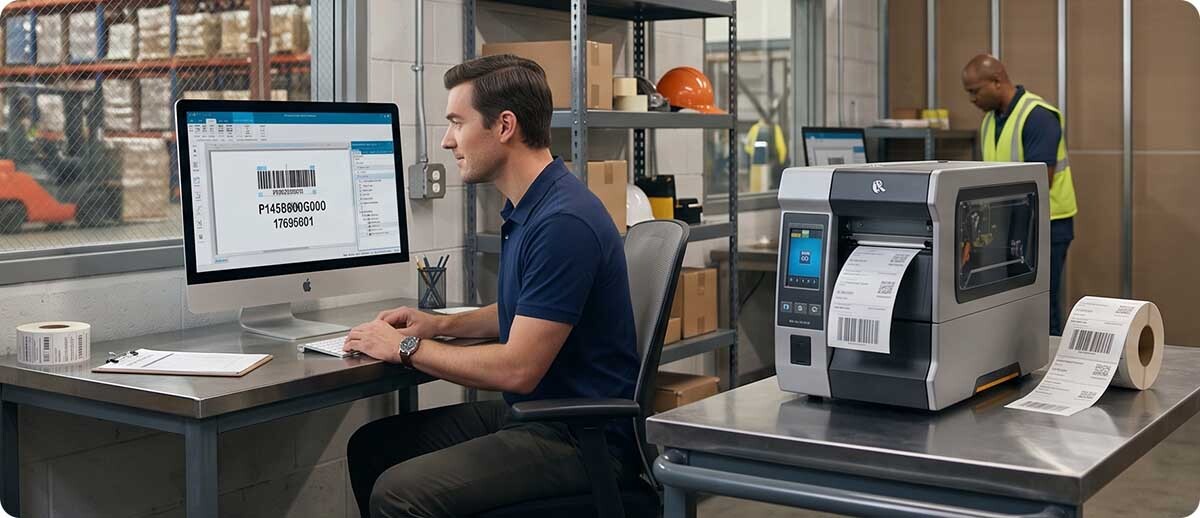
By The ZPS Store | Barcode Software | Zebra Designer Pro V3 Guide
ZebraDesigner is Zebra's own label design software, part of the Zebra DNA for Printers platform that ships with every Zebra printer. It comes in two versions. The free version, called ZebraDesigner Essentials, handles most straightforward labeling needs without any cost. The paid version, called ZebraDesigner Professional, adds database connectivity, RFID encoding, and more advanced formatting tools for operations that need them.
A lot of buyers skip right past ZebraDesigner and jump to third-party software without realizing Zebra's own tool might already cover what they need. This guide walks through what each version actually does and helps you figure out which one is right for your situation before you spend money on software you might not need.
ZebraDesigner Essentials: What You Get for Free
What can you actually do with the free version?
More than most people expect. ZebraDesigner Essentials is a full label design application that lets you place text, barcodes, images, and lines on a label, connect it to your Zebra printer, and print. It supports native Zebra barcodes across the full range of 1D and 2D symbologies, handles fixed and variable data entry at print time, and works directly with ZPL, EPL, and CPCL command languages so the output is optimized for Zebra printers rather than being translated through a generic driver.
It includes a GS1-128 wizard that guides you through creating compliant GS1-128 labels with the correct Application Identifier structure, which is genuinely useful for anyone doing retail or distribution compliance labeling. It also includes support for Time/Date and Real Time Clock fields, simple VB script for basic logic, and the ability to enter variable data manually at print time for labels where the content changes from print to print.
If you're designing standard shipping labels, inventory tags, product labels, or compliance barcodes and the data for each label is either fixed or entered manually at the time of printing, ZebraDesigner Essentials covers you without spending anything.
What does ZebraDesigner Essentials not do?
The main limitation of Essentials is that it doesn't connect to external databases. Every label field is either fixed content you type in, or variable content entered manually each time you print. If you want to pull data from a spreadsheet, a database, or any external file and automatically populate label fields from that data, Essentials doesn't support it. That's the primary dividing line between the free version and Professional.
Essentials also doesn't include the RFID wizard for encoding RFID labels, and it doesn't support Keyboard Display Unit printing for operations using a KDU to send print jobs directly from a handheld device.
ZebraDesigner Professional: What the Upgrade Actually Adds
When do you actually need ZebraDesigner Professional?
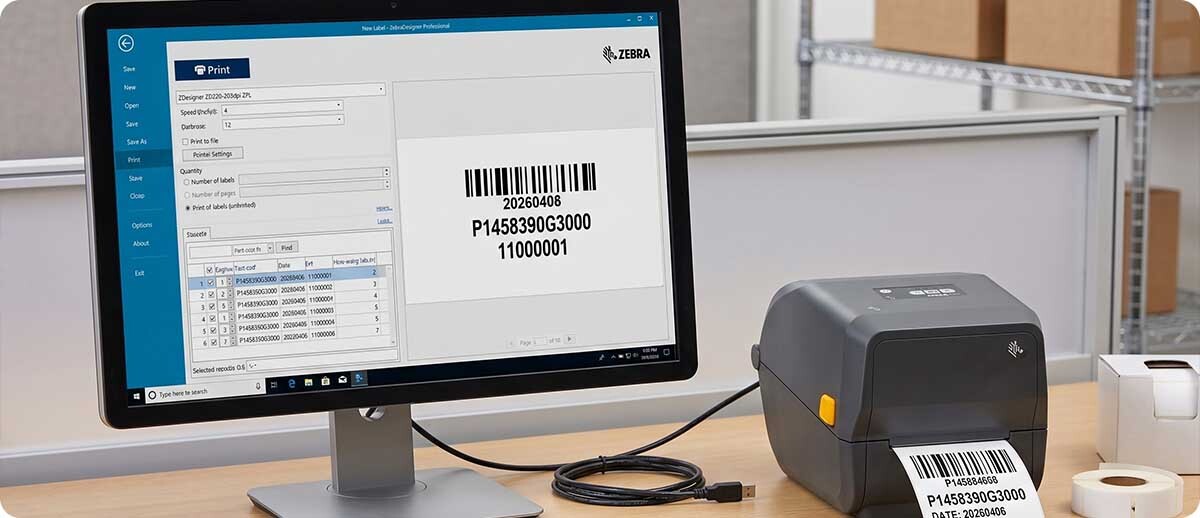
The upgrade is worth it in three specific situations. The first is when your label data lives in an external database or file. ZebraDesigner Professional adds ODBC and ASCII file connectivity, which means you can connect a label template directly to a database table or spreadsheet, map the fields, and pull data into labels automatically without manual entry. If you're printing labels for a product catalog, a parts list, or any scenario where the label content comes from a data source rather than being typed in each time, Professional is what makes that work.
The second situation is RFID label printing. ZebraDesigner Professional includes an RFID wizard that guides you through encoding RFID inlays as part of the print job. If you're printing RFID labels on a Zebra RFID printer and need the encoding integrated into the label design workflow, Professional is the right tool.
The third is when your labels require more advanced data handling like field concatenation, formulas, or picking specific records from a database at print time. These are the features that handle more complex label formats where content depends on calculations, combined fields, or user-selected database entries.
How is Professional licensed?
ZebraDesigner Professional is a one-time purchase, not a subscription. You buy an activation license key and that's it. No annual renewal, no per-seat monthly fee. For operations that have landed on BarTender or Loftware for basic labeling needs and are paying annual subscription costs, ZebraDesigner Professional is worth evaluating as a lower-cost alternative that does the job for a one-time price. It works natively with Zebra printers in a way that third-party software can only approximate.
ZebraDesigner vs. BarTender vs. Loftware: When Does It Make Sense to Go Third Party?
ZebraDesigner is the right tool when your labels are going to a Zebra printer and your data needs are straightforward to moderate. It's optimized for Zebra hardware, it's free or low cost, and it doesn't require learning an enterprise software platform to do what most labeling operations actually need.
BarTender or Loftware start to make more sense when you're printing to multiple printer brands from one system, when you need centralized label management across multiple sites, when you have complex ERP or WMS integration requirements, or when your label approval and version control workflow requires the governance features those platforms offer. If you're a large enterprise managing label publishing across dozens of sites with regulatory oversight on every change, BarTender and Loftware are the right platforms. If you're a small to mid-size operation running Zebra printers and printing from one location, ZebraDesigner Professional probably covers everything at a fraction of the cost.
A Few Technical Notes Worth Knowing
ZebraDesigner V3 is backward compatible with label formats created in ZebraDesigner V2, so if you're upgrading from an older version you can continue using your existing label files without rebuilding them from scratch.
V3 supports two Windows printer driver versions. The version 10 driver is the recommended choice for new label templates and supports the full V3 feature set including Bluetooth connectivity. If you have existing labels built around EPL or CPCL commands, you'll want to keep the version 5 driver installed for compatibility with those formats.
The software runs on Windows 10, Windows 11, Windows Server 2022, and Windows Server 2025. It doesn't have a Mac version.
ZebraDesigner Editions at a Glance
| Feature | Essentials (Free) | Professional (One-time purchase) |
|---|---|---|
| Basic label design and barcodes | Yes | Yes |
| ZPL, EPL, CPCL support | Yes | Yes |
| GS1-128 wizard | Yes | Yes |
| Variable data entry at print time | Yes | Yes |
| Database connectivity (ODBC / ASCII file) | No | Yes |
| Pick database records at print time | No | Yes |
| Field concatenation and formulas | No | Yes |
| RFID wizard | No | Yes |
| Keyboard Display Unit (KDU) support | No | Yes |
Shop ZebraDesigner at The ZPS Store
ZebraDesigner Essentials
Free download from Zebra at zebra.com/zebradesigner. Works with all current Zebra printers. No license key required.
ZebraDesigner Professional V3
One-time activation license key purchase. Unlocks database connectivity, RFID wizard, field concatenation, formulas, KDU support, and pick-from-database at print time. Works with all current Zebra printers and is backward compatible with V2 label files.
Shop ZebraDesigner Pro V3 →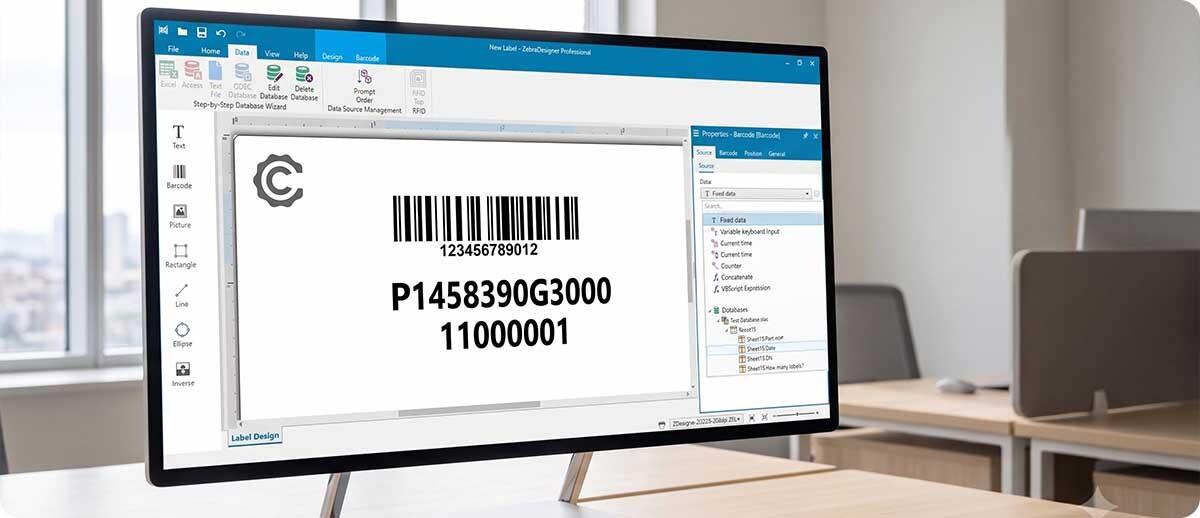
Questions People Ask
We already use BarTender. Is there any reason to switch to ZebraDesigner?
If BarTender is working well for you and you're using its enterprise features, probably not. Switching label software mid-deployment means rebuilding your existing label templates, and if BarTender is already integrated with your ERP or WMS, that's significant work for limited gain. Where it's worth evaluating is on a new deployment or if you're paying annual BarTender subscription costs for an operation that doesn't need the enterprise features. ZebraDesigner Professional at a one-time price might cover your actual requirements at a fraction of the ongoing cost.
Can ZebraDesigner connect to Excel for variable data?
Yes, through the Professional version's ODBC and ASCII file connectivity. Excel files saved as CSV or connected via ODBC can be used as a data source for label templates. You map spreadsheet columns to label fields and ZebraDesigner pulls the data at print time. The current implementation connects to a single database or table on the same label, which covers most standard use cases. For more complex multi-table queries or ERP direct integration, the enterprise platforms offer broader database connectivity options.
Does ZebraDesigner work on a Mac?
No. ZebraDesigner is Windows only, running on Windows 10, Windows 11, Windows Server 2022, and Windows Server 2025. If your label design workstation runs macOS, you'll need a Windows environment to run ZebraDesigner, either a dedicated Windows machine or a virtualization setup.
We have label files from ZebraDesigner V2. Will they work in V3?
Yes. ZebraDesigner V3 is backward compatible with V2 label files in the LBL format, so your existing templates open and print without requiring a rebuild. V3 uses the NLBL format for new labels, so if you create new templates in V3 they won't be usable in V2, but your existing V2 work carries forward cleanly.
If you're not sure whether Essentials covers your needs or you want to talk through whether Professional is worth the upgrade for your specific labeling workflow, fill out the form below and we can help you work through it before you decide.