
Zebra Printer Models Explained: Every Current Family, What Each One Does, and How to Choose
Posted by The ZPS Store on May 21st 2026
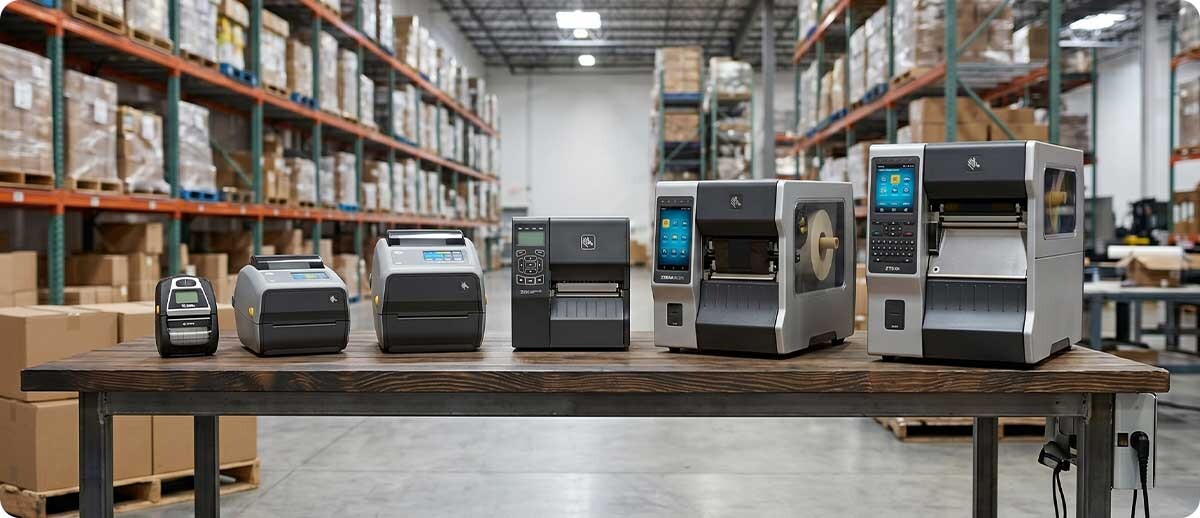
By The ZPS Store | Zebra Printers | Complete Model Family Guide
The most common source of confusion when buying a Zebra printer is not understanding which model family covers which type of application. Zebra organizes its printers into clearly defined families — ZD for desktop, ZT for industrial tabletop, ZQ for mobile, ZE for print engines, ZC for card printing — and within each family, the numbers indicate print width and capability level. A buyer who understands that system can navigate the full Zebra lineup efficiently. A buyer who does not ends up comparing individual model spec sheets without the context to interpret what the differences actually mean for their application.
This guide covers every current Zebra printer family sold at The ZPS Store: what the family name means, which models it includes, what each model is optimized for, and how the family relates to the rest of the Zebra lineup. It is organized so you can either read it end to end or jump directly to the family relevant to your application.
How to Read a Zebra Printer Model Number
Before covering each family, it helps to understand what the model numbers mean. Zebra uses a consistent structure across its printer lineup:
The letter prefix identifies the printer family. ZD means desktop. ZT means industrial tabletop. ZQ means mobile. ZE means print engine. ZC means card printer.
The first digit after the prefix typically identifies the series generation. The 4 in ZD421 tells you it is the ZD400 series desktop. The 6 in ZD621 tells you it is the ZD600 series desktop. The 2 in ZT231 and ZT211 identifies the ZT200 series. The 4 in ZT411 and ZT421 identifies the ZT400 series. The 6 in ZT610 and ZT620 identifies the ZT600 series.
The second digit typically identifies the print width. A 1 means 2-inch print width. A 2 means 4-inch print width. A 3 means 6-inch print width. So a ZD411 is a 2-inch ZD400 series desktop. A ZD421 is a 4-inch ZD400 series desktop. A ZT421 is a 6-inch ZT400 series industrial.
Understanding this pattern means you no longer need to memorize individual model names. A ZT611 would be a 2-inch ZT600 series industrial. A ZT623 would be a 6-inch ZT600 series industrial. The system is consistent across the lineup.
ZD Series: Zebra Desktop Printers
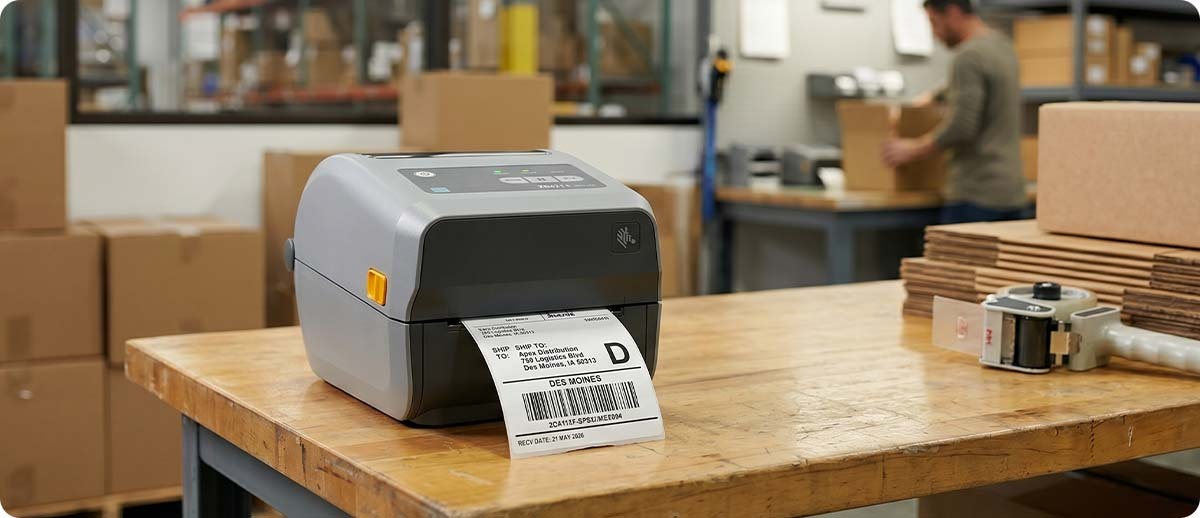
The ZD series covers Zebra's desktop printer lineup. Desktop printers are designed for workstation use: counter-top, back office, pharmacy, retail, light warehouse, and any application where the printer stays in one place and does not need to run at industrial duty cycles or at industrial print speeds. The ZD series currently includes two generations — the ZD400 series and the ZD600 series — at two print widths each.
What is the difference between the ZD400 series and the ZD600 series?
The ZD400 series (ZD411 and ZD421) is Zebra's current mainstream desktop line. The ZD600 series (ZD611 and ZD621) is the premium desktop line. Both are current production and both are fully supported. The ZD600 series adds a faster print speed, an optional 4.3-inch color touch LCD display, and the ability to print at up to 8 inches per second versus 6 inches per second on the ZD400 series. The ZD600 series also includes a Serial port option for legacy system connections that the ZD400 series does not offer. For most desktop printing applications, the ZD400 series is the right specification. The ZD600 series earns its premium for operations that need the faster speed, the color touch interface, or the Serial connectivity.
What is the Zebra ZD411 and who should use it?
The ZD411 is Zebra's 2-inch desktop printer in the ZD400 series. It prints labels up to 2.25 inches wide. It is available in direct thermal and thermal transfer configurations. The ZD411 is the right choice when the application requires labels that are 2 inches or narrower — specimen labels, pharmacy labels, jewelry tags, small product identification labels, and wristband printing. It connects via USB, Bluetooth, and optional Ethernet or Wi-Fi through the field-upgradeable connectivity slot. The ZD411 is also available in a healthcare configuration (ZD411-HC) with disinfectant-resistant plastics for clinical environments.
What is the Zebra ZD421 and who should use it?
The ZD421 is Zebra's 4-inch desktop printer in the ZD400 series. It is Zebra's most widely deployed desktop printer and the direct replacement for the GK420 and GX420 series. It prints labels up to 4.09 inches wide at up to 6 inches per second at 203 DPI. It is available in direct thermal, thermal transfer, and thermal transfer cartridge configurations. The cartridge configuration uses a self-contained ribbon module that installs without threading, which reduces the learning curve for users who are not familiar with ribbon loading. The ZD421 covers the majority of standard desktop printing applications: 4x6 shipping labels, 4x2 inventory labels, compliance labels, food service labels, and retail back-office applications. It is the ZPS Store's most broadly applicable desktop printer recommendation for operations that do not have a specific reason to step up to the ZD600 series.
What is the Zebra ZD611 and who should use it?
The ZD611 is the 2-inch premium desktop printer in the ZD600 series. It delivers the same print width as the ZD411 but with faster speed, an optional color touch display, and the higher build quality of the ZD600 platform. The ZD611 is also available in a linerless configuration for applications that benefit from linerless label media at a 2-inch width — pharmacy, specimen, and small-format labeling where liner waste is a concern. For most 2-inch desktop applications, the ZD411 is adequate. The ZD611 earns its premium when speed, the color display, or linerless capability are required.
What is the Zebra ZD621 and who should use it?
The ZD621 is the 4-inch premium desktop printer in the ZD600 series. It prints at up to 8 inches per second, offers an optional 4.3-inch color touch LCD, supports Serial connectivity for legacy systems, and is available in direct thermal, thermal transfer, and linerless configurations. The color touch display shows printer status, media level, and error alerts in a way that status lights on the ZD421 cannot match, which matters for shared office printers where multiple users need to quickly understand the printer's current state. The ZD621 is the right choice when the ZD421's speed or interface is a limitation, or when linerless capability at 4-inch width is required.
ZD Series Quick Reference
| Model | Print Width | Max Speed | Key Differentiator |
|---|---|---|---|
| ZD411 | 2" | 6 ips | Value 2-inch desktop, HC version available |
| ZD421 | 4" | 6 ips | Most popular desktop, cartridge option, linerless option |
| ZD611 | 2" | 8 ips | Premium 2-inch, color touch LCD option, linerless |
| ZD621 | 4" | 8 ips | Premium 4-inch, color touch LCD, Serial, linerless |
ZT Series: Zebra Industrial Tabletop Printers
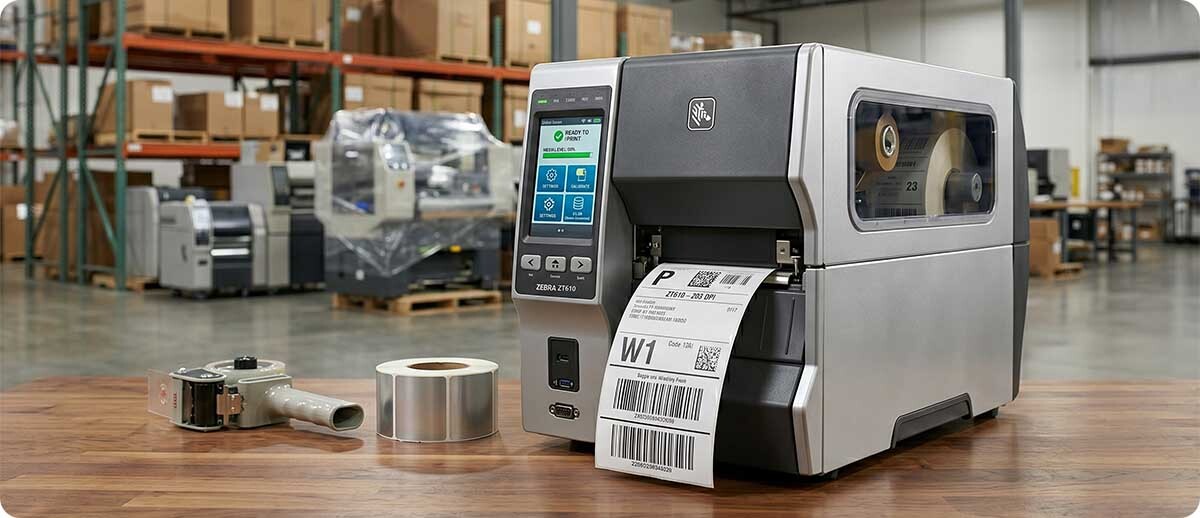
The ZT series covers Zebra's industrial tabletop printer lineup. These printers are designed for 24/7 operation in manufacturing, distribution, logistics, and any application where high daily label volumes, a demanding physical environment, or mission-critical uptime requirements exceed what a desktop printer is built to handle. The ZT series currently includes three generations at two print widths each, plus the ZT111 linerless industrial printer.
What is the difference between the ZT200, ZT400, and ZT600 series?
The ZT200 series (ZT231) is the entry point into Zebra's industrial tier. It has an all-metal frame, runs at industrial print speeds, and handles the duty cycles a desktop printer cannot sustain, but at a lower price point than the ZT400 and ZT600 series. The ZT400 series (ZT411 and ZT421) is the mid-range industrial platform and the most widely deployed industrial printer series in the Zebra lineup. It adds 600 DPI capability, faster print speeds, Gigabit Ethernet, and a broader feature set than the ZT231. The ZT600 series (ZT610 and ZT620) is Zebra's premium industrial platform, with the highest precision registration, micro-label capability down to 3mm, and the widest range of RFID configurations.
What is the Zebra ZT231 and who should use it?
The ZT231 is Zebra's entry-level industrial printer and the most cost-effective way to get into Zebra's industrial tier. It has an all-metal frame, prints at up to 12 inches per second at 203 or 300 DPI, connects via USB, Serial, Ethernet, and Bluetooth, and supports an optional Wi-Fi card. It does not offer 600 DPI, RFID encoding, or the Gigabit Ethernet that the ZT411 carries. The ZT231 is the right choice for operations that have exceeded what a desktop printer can handle in terms of daily volume or environmental durability, but do not need the ZT411's additional capabilities. The ZPS Store's ZT231 vs ZT411 buyer's guide covers this decision in detail.
What is the Zebra ZT411 and who should use it?
The ZT411 is Zebra's 4-inch mid-range industrial printer and the current replacement for the ZT410. It is the most versatile industrial printer in the ZT400 series, offering 203, 300, and 600 DPI configurations, 14 ips print speed, a 4.3-inch color touch LCD, Gigabit Ethernet, and optional RFID encoding, Wi-Fi, linerless, and cutter/rewind/peel media handling. The ZT411 is the appropriate specification for the majority of high-volume industrial labeling applications where neither the ZT231's cost savings nor the ZT610's precision capabilities are the deciding factor. It replaced the ZT510 as the mid-tier industrial choice.
What is the Zebra ZT421 and who should use it?
The ZT421 is the 6-inch version of the ZT411. It shares the ZT411's feature set but prints up to 6.6 inches wide, covering pallet labels, wide compliance labels, wide shipping documentation, and any application where standard 4-inch label width is not sufficient. The ZT421 tops out at 300 DPI — it does not offer 600 DPI as the 4-inch ZT411 does. For operations whose label width requirements fall within 6.6 inches, the ZT421 is the standard specification. For operations that need a 6-inch print width and 300 DPI, the ZT620 is the premium option.
What is the Zebra ZT610 and who should use it?
The ZT610 is Zebra's premium 4-inch industrial printer and the highest-specification 4-inch printer in the current Zebra lineup. It shares the ZT411's print speed, DPI options, and connectivity platform but is engineered to tighter mechanical tolerances that enable label printing at sizes as small as 3mm. Zebra specifically validates the ZT610 for pharmaceutical, electronics component, and precision compliance labeling applications where the ZT411's mechanical precision is a limitation. The ZT610 also offers the broadest range of RFID encoding configurations. The ZT610 is the right specification when micro-label accuracy or a specific RFID configuration requires the ZT600 platform.
What is the Zebra ZT620 and who should use it?
The ZT620 is the 6-inch version of the ZT610. It delivers the ZT610's premium industrial performance at up to 6.6 inches wide. Like the ZT421, the ZT620 tops out at 300 DPI. The ZT620 is the right specification when a 6-inch print width is required and the application also requires the ZT600 series precision, the wider RFID configuration range, or the ZT610's capability for dense label content at wider sizes.
What is the Zebra ZT111 and who should use it?
The ZT111 is Zebra's industrial linerless printer, the only industrial-class printer in the current Zebra lineup specifically engineered for linerless label media. It is a 4-inch direct thermal linerless printer rated for 24/7 operation, designed for high-volume applications in warehouse and distribution environments where eliminating liner waste is both an operational and sustainability priority. For the industrial linerless use case, the ZT111 is the specific and correct Zebra specification.
ZT Series Quick Reference
| Model | Width | Max DPI | Max Speed | Position |
|---|---|---|---|---|
| ZT231 | 4" | 300 | 12 ips | Entry industrial, value tier |
| ZT411 | 4" | 600 | 14 ips | Mid industrial, most popular |
| ZT421 | 6" | 300 | 14 ips | Mid industrial 6-inch |
| ZT610 | 4" | 600 | 14 ips | Premium industrial, micro-label |
| ZT620 | 6" | 300 | 12 ips | Premium industrial 6-inch |
| ZT111 | 4" | 203 | 10 ips | Industrial linerless only |
ZE Series: Zebra Print Engines
The ZE series is Zebra's print engine family. Print engines are industrial printing mechanisms designed to be integrated into print-and-apply applicator systems rather than used as standalone printers. They do not have an external media door, a standalone control panel, or the physical form factor of a tabletop printer. They are designed to be embedded in automated label application equipment on production and packaging lines.
What is the Zebra ZE511 and ZE521?
The ZE511 is the 4-inch print engine and the ZE521 is the 6-inch print engine in Zebra's current print engine lineup. Both share the same core platform as the ZT400 series industrial printers — the same connectivity, the same Zebra DNA and Link-OS management tools, and the same media handling mechanism. The ZE511 is available in 203, 300, and 600 DPI configurations. The ZE521 is available in 203 and 300 DPI. The ZE511 and ZE521 are the correct specification for automated print-and-apply inline labeling on conveyor, packaging, and palletizing lines. For any application where a standalone tabletop printer is the right form factor, the ZT411 or ZT421 is the appropriate model rather than the ZE511 or ZE521.
ZC Series: Zebra Card Printers
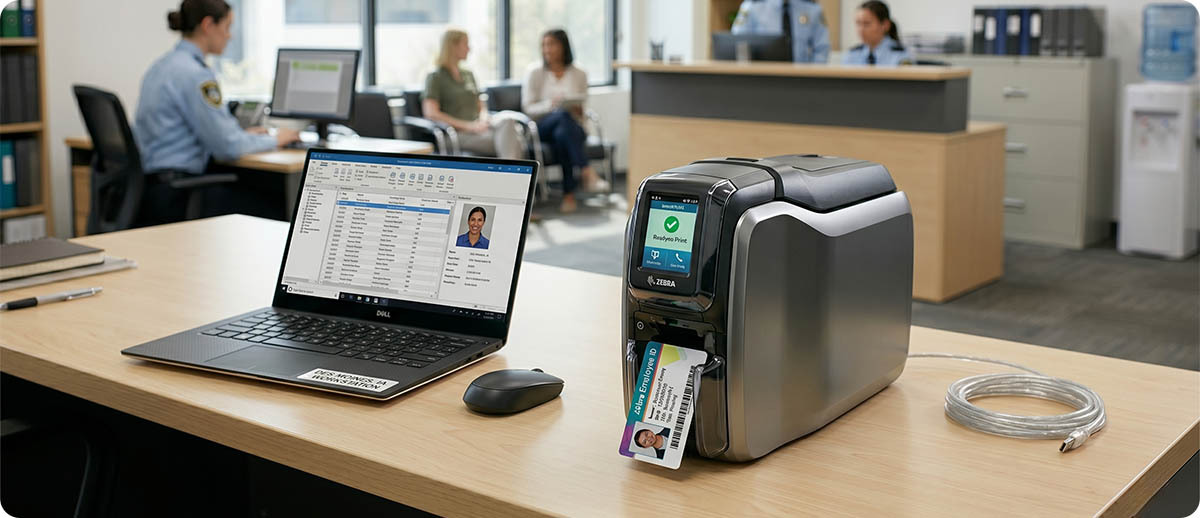
The ZC series covers Zebra's ID card and plastic card printer lineup. These are completely different from the thermal label printers in the ZD and ZT series. ZC printers print on CR80 plastic card stock using dye-sublimation or resin thermal transfer technology to produce full-color photo ID cards, access control cards, loyalty cards, and membership cards. They are not label printers and do not use label media or thermal transfer ribbon designed for label printing.
What ZC card printers does The ZPS Store carry?
The ZPS Store carries the ZC100, ZC300, and ZXP9 card printers. The ZC100 is the entry-level single-sided card printer for low-volume badge and ID applications. The ZC300 is the mid-range option with dual-sided printing capability for cards that require information on both faces. The ZXP9 is Zebra's premium high-volume card printer designed for organizations that print large volumes of cards in a centralized issuance environment. Card printers are a separate purchasing decision from label printers and are selected based on card volume, encoding requirements (magnetic stripe, smart card chip, RFID), and whether single or dual-sided printing is required.
The Decision Tree: Which Zebra Printer Family Do You Need?
Use the following questions in order to identify the correct Zebra printer family for your application:
Are you printing on plastic CR80 cards for ID or access control? If yes, you need the ZC series. Everything below applies to thermal label and tag printing only.
Is the printer going to be integrated into a print-and-apply applicator on an automated line? If yes, you need the ZE series. The ZE511 for 4-inch applications, the ZE521 for 6-inch applications.
Does the printer need to travel with a worker or vehicle? If yes, you need the ZQ series mobile printer lineup.
How many labels does the printer need to produce per day? Under 1,000 labels per day in an office or light-use environment: ZD series desktop. Over 2,000 labels per day, in a demanding environment, or requiring 24/7 uptime: ZT series industrial.
Within the ZT industrial series, which tier is right? If standard industrial durability and 203 or 300 DPI cover the application: ZT231 for entry-level cost or ZT411 for full-featured mid-range. If 600 DPI, micro-label precision, or a specific RFID configuration requires the premium platform: ZT610.
What label width does the application require? Up to 4.09 inches: choose the 4-inch model in any series (ZD421, ZD621, ZT411, ZT610). Up to 6.6 inches: choose the 6-inch model (ZD421 does not go to 6 inches — you need ZT421 or ZT620 for 6-inch industrial).

Frequently Asked Questions: Zebra Printer Families
What is the difference between a Zebra desktop printer and an industrial printer?
Zebra desktop printers are designed for moderate daily volumes in office, retail, pharmacy, and light-use environments. They have plastic frames or partial metal frames, print at 4 to 8 inches per second, and are not rated for 24/7 continuous operation. Zebra industrial printers have all-metal frames, print at 12 to 14 inches per second, are rated for 24/7 continuous duty cycles, and are built to survive the physical demands of manufacturing and distribution environments. The operational signal that a desktop printer is no longer the right specification is when it is running continuously for multiple shifts, experiencing more frequent failures than expected, or being used in an environment where temperature, dust, vibration, or impact exceed what a desktop frame is built to handle.
Can a Zebra ZD421 replace a Zebra ZT411?
Not in a high-volume or demanding application. The ZD421 is a desktop printer rated for light to moderate daily volumes in controlled environments. The ZT411 is an industrial printer rated for 24/7 operation at high daily volumes in demanding physical environments. A ZD421 placed in a role that requires the ZT411 will fail more frequently, wear faster, and produce more downtime events than the operation expects. The reverse is not a problem — a ZT411 in a light-use application is simply over-specified and more expensive than necessary. When in doubt about which tier is appropriate, the ZT231 fills the gap between desktop and full industrial at a lower price point than the ZT411.
What Zebra printers support RFID encoding?
RFID encoding is available as a configuration option on the ZT411, ZT421, ZT610, ZT620, ZE511, and ZE521. It is not available on any current ZD desktop printer or on the ZT231. The ZT610 offers the widest range of RFID configurations including on-metal tagging. RFID encoding on a label printer requires both the RFID-capable printer configuration and RFID inlay label media. The printer model alone is not sufficient — the label media must also contain the RFID inlay for encoding to occur.
Which Zebra printers support 600 DPI?
600 DPI is available on the ZT411 (4-inch industrial), ZT610 (4-inch industrial), ZT620 (4-inch only — the 6-inch ZT620 tops at 300 DPI), and ZE511 (4-inch print engine). It is not available on the ZT231, ZT421, ZE521, or any ZD desktop printer. 600 DPI is required for applications that print very small barcodes, dense 2D codes, fine text, or compliance labels where print quality grades are specified. For standard warehouse and shipping label applications, 203 or 300 DPI is adequate.
What happened to the Zebra ZT510? Is there a direct replacement?
The ZT510 has been discontinued by Zebra. The direct replacement is the ZT411, which improves on the ZT510 in every key specification: faster print speed (14 ips versus 12 ips), a color touch LCD display (the ZT510 had only a basic LCD), 600 DPI capability (the ZT510 was 203 and 300 DPI only), and Gigabit Ethernet (the ZT510 had standard 10/100 Ethernet). Operations running ZT510 printers should plan their migration to the ZT411. ZPS has a dedicated ZT510 end-of-life guide covering the replacement decision.
What is the difference between the ZT411 and ZT421?
The ZT411 and ZT421 are both mid-range ZT400 series industrial printers. The ZT411 is the 4-inch model with a maximum print width of 4.09 inches. The ZT421 is the 6-inch model with a maximum print width of 6.6 inches. The ZT411 is available in 203, 300, and 600 DPI. The ZT421 is available in 203 and 300 DPI only. Both run at 14 ips and share the same platform, connectivity, and accessory ecosystem. The choice between them is determined entirely by the maximum label width your application requires.
If you have worked through the decision tree and are still not sure which Zebra printer family or specific model is right for your application, our team can work through the specification with you. Fill out the form below with your application details: daily volume, label size, environment, and any specific feature requirements. Then we will point you to the right configuration before you order.