
Zebra TC501 vs. TC53: Is It Time to Upgrade or Is Your TC53 Fleet Still the Right Call?
Posted by The ZPS Store on Jul 16th 2026

By The ZPS Store | Mobile Computers | TC501 vs. TC53 Buyer's Guide
If your TC53 fleet is aging and you're trying to figure out whether the TC501 is the right replacement, or if you're specifying new devices and trying to decide between them, this is the comparison you need. We'll cover what's actually different, where the TC53 still makes sense in 2026, and where the TC501 earns its higher price tag before you commit to one or the other.
The Processor Gap Is Bigger Than It Looks on Paper
What processor does the TC501 use and why does it matter?
The TC53 runs on the Qualcomm 6490. The TC501 runs on the Qualcomm Dragonwing Q-6690 with a dedicated AI engine, and Zebra rates it at 300 percent more processing performance. That's not a marketing number that shows up only in benchmarks. It shows up in how quickly apps load, how the device handles multiple concurrent applications, and most importantly in whether the device can run AI-powered workflows at all.
The TC53 cannot run AI applications at the device level in any meaningful way. Its processor simply isn't designed for it. The TC501's dedicated on-device AI engine can run computer vision, voice guidance, and machine learning workflows without sending anything to the cloud. For most operations today that doesn't change anything about daily work. For operations that are actively evaluating AI-powered receiving verification, visual proof of delivery, or on-device voice coaching, it's the entire reason to choose the TC501 over anything else.
The TC501 also ships with up to 12GB of RAM and up to 256GB of storage. The TC53 tops out at 8GB RAM and 128GB storage. Again, for standard WMS scanning and receiving workflows those numbers don't create a noticeable daily difference. But for a device you plan to run for five to seven years while your software stack keeps growing, the headroom matters.

The Display Difference You Feel on Day One
Is the TC501 display actually better than the TC53?
Yes, and it's noticeable. The TC53 has an LCD display rated at 500 nits. The TC501 has an AMOLED display rated at 1500 nits and protected by Corning Gorilla Glass Victus. Three times the brightness is not a subtle improvement. In a well-lit warehouse the TC53 can be hard to read in certain lighting angles. In direct sunlight it's genuinely difficult. The TC501 is clearly readable in direct sunlight without any special positioning.
If your workers stay inside a climate-controlled facility with consistent artificial lighting all day, the display difference is real but not operationally significant. If any part of your workflow takes workers outdoors, to loading docks, or into brightly lit environments, the TC501 display is a meaningful quality of life improvement that reduces errors and speeds up work simply by being easier to read.
Built-In RFID Changes the Accessory Conversation
Does the TC501 have RFID built in?
Yes, and this is one of the bigger practical differences between the two devices. Built-in UHF RFID is standard on every TC501 configuration. The TC53 requires a separate RFID sled accessory to add RFID capability, which adds cost, adds bulk, adds a charging accessory to manage, and adds a failure point.
For operations where RFID is already deployed or on the roadmap, the TC501 simplifies the hardware picture significantly. You buy one device that does both barcode scanning and RFID reading. Workers carry one device. IT manages one device type. If RFID isn't part of your operation and you have no plans to add it, the built-in RFID on the TC501 doesn't hurt you but it also doesn't help you, and it contributes to the price premium you're paying over the TC53.
Connectivity and Ruggedness Updates
How does the TC501 connectivity compare to the TC53?
The TC53 supports Wi-Fi 6E and Bluetooth 5.2. The TC501 supports Wi-Fi 7 and Bluetooth 6.0, and adds 5G Release 17 on cellular configurations. Wi-Fi 7 is the current generation wireless standard with significantly better performance in high-device-density environments compared to Wi-Fi 6E. For most operations with existing Wi-Fi 6E infrastructure, the practical day-to-day difference is modest. For operations deploying new wireless infrastructure now, specifying Wi-Fi 7 access points alongside TC501s is the future-proof path.
On the ruggedness side, the TC501 rates for 8-foot drops to concrete without the boot and 9 feet with the rugged boot. The TC53 rates for 6 feet. The TC501 also uses Gorilla Glass Victus on the display, which is a meaningfully harder glass than what the TC53 carries. In practical terms the TC501 is simply more survivable in high-abuse environments.
One important distinction: the TC53 uses a warm swap battery, which gives you about 30 seconds to swap the battery before the device needs to power down. The TC501 uses a true hot swap battery, meaning you can swap the battery without any interruption to the active application or WMS session. In a high-pace operation that matters more than most people factor in when comparing these two.
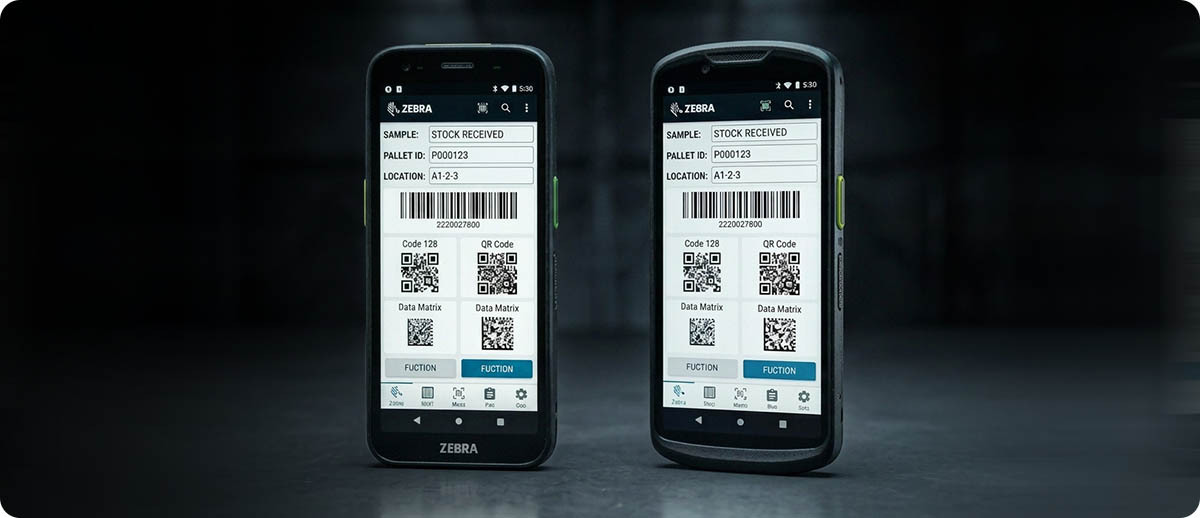
TC501 vs. TC53 at a Glance
| Feature | TC53 | TC501 |
|---|---|---|
| Processor | Qualcomm 6490 | Dragonwing Q-6690 + AI engine |
| RAM / Storage | Up to 8GB / 128GB | Up to 12GB / 256GB |
| Display | LCD, 500 nits | AMOLED, 1500 nits, Gorilla Glass Victus |
| RFID | Optional sled accessory | Built-in UHF RFID standard |
| Wi-Fi | Wi-Fi 6E | Wi-Fi 7 |
| Drop rating | 6 ft to concrete | 8 ft (9 ft with boot) |
| Battery swap | Warm swap | Hot swap |
| Camera | 16MP rear | 50MP rear, 8MP front |
When the TC53 Still Makes Sense
If your operation runs standard indoor warehouse workflows, workers are scanning within a climate-controlled facility all shift, RFID is not in the picture, and you don't have a near-term need for AI-powered applications, the TC53 is still a capable device at a lower price point. If your current TC53 fleet is two to three years old and performing well, there's no urgency to replace it. The TC53 is still in active production and supported.
The honest caveat: several TC53 configurations are already showing as discontinued on our site, with Zebra pointing buyers toward the TC530e or TC5010 as current alternatives. If you need to add to your TC53 fleet, check which SKUs are still actively available before ordering.
When the TC501 Is the Right Call
If you're specifying devices for a new deployment with a five to seven year horizon, the TC501 is the correct platform. You're getting Wi-Fi 7, built-in RFID, a significantly better display, and an AI-capable processor for a lifecycle that will run well into the 2030s. The applications that need that AI engine aren't mainstream yet but they're coming, and buying a device today that can run them when they arrive is smarter than buying one that can't.
If RFID is already part of your workflow or actively being evaluated, the TC501 removes the sled from the equation entirely. If workers go outdoors or work in high-brightness environments, the 1500-nit display is a day-one improvement. If your environment causes regular battery swaps during a shift, hot swap without interrupting the WMS session is worth real time over a full day.
Shop TC501 and TC53 at The ZPS Store
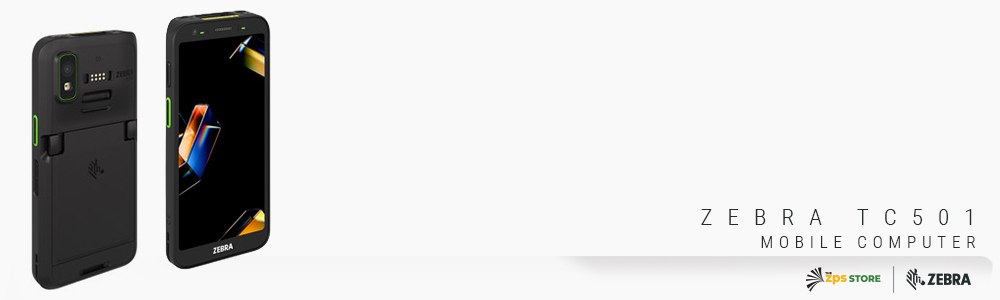
Zebra TC501 Mobile Computer
Wi-Fi 7 | Dragonwing AI processor | Built-in RFID | 1500-nit AMOLED | 8ft drop | Hot swap battery
TC5010-041E2B0001-NA: Wi-Fi 7, 12GB/256GB, AC670 advanced range + ultrawide camera
TC5010-021B1A0001-NA: Wi-Fi 7, 8GB/128GB, SR560 imager
TC5010-041B2C00A1-NA: Wi-Fi 7, 12GB/256GB, SR560 + Time of Flight sensor
TC501G-321A1A1A01-NA: 5G + Wi-Fi 7, 8GB/128GB, SR500 imager
Shop Zebra TC501 →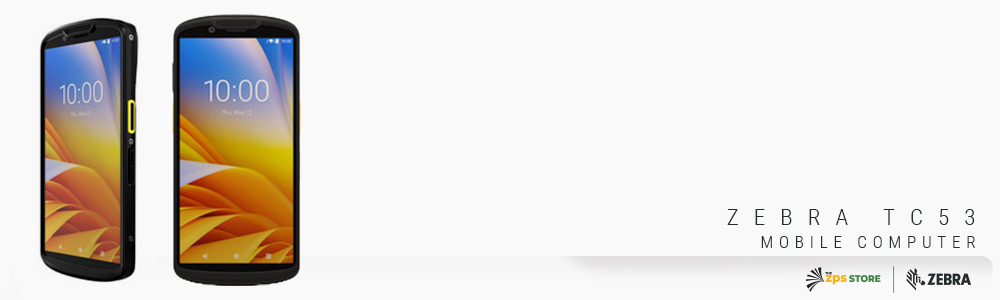
Zebra TC53 Mobile Computer
Wi-Fi 6E | 6ft drop | SE4720 or SE55 scan engine | Warm swap battery | Note: some SKUs transitioning
TC5301-0T1K7B1000-NA: Wi-Fi 6E, 8GB/64GB, SE55 advanced range
Shop Zebra TC53 →
Questions People Ask on This
Are TC501 and TC53 accessories compatible?
No. The TC501 is a new form factor with different dimensions and a new charging interface. TC53 cradles, charging cups, and accessories are not forward-compatible with the TC501. If you're replacing TC53s with TC501s, budget for new cradles and accessories as part of the transition. If you're running a mixed fleet of both, you'll need separate charging infrastructure for each.
We have a TC53 fleet that's only two years old. Should we be upgrading?
Not urgently. A two-year-old TC53 fleet in good condition has meaningful service life remaining. Zebra's product availability commitments on current-generation devices typically run five or more years from release, so TC53 support is not going away immediately. The time to look at the TC501 is when your TC53s start accumulating repair costs, when a new deployment opportunity comes up, or when your operation adds a specific workflow that genuinely needs something the TC53 cannot deliver.
What is the difference between warm swap and hot swap batteries?
A warm swap battery gives you a short window, typically around 30 seconds, to swap the battery before the device powers down. In practice this means workers need to pause their current task, swap the battery, and wait for the device to resume. A hot swap battery allows the swap to happen without any interruption to the active application. The WMS session, the current transaction, and whatever the worker was looking at on screen all stay active through the battery change. For workers doing frequent mid-shift battery swaps, hot swap is a meaningful time saver across a full day.
If you want to talk through which configuration fits your specific workflows before committing to an order, fill out the form below. We can help you match the right scan engine, memory configuration, and connectivity option to what you're actually doing on the floor.