
Zebra WT6400 and RS2100: When Both Hands Need to Be Free
Posted by The ZPS Store on Aug 3rd 2026

By The ZPS Store | Wearable Computing | WT6400 and RS2100 Guide
We cover ring scanners in depth in a separate guide. This one is about the bigger picture: when does a wearable computing setup make sense over a standard handheld, what does that setup actually look like, and which scanner pairs with which worker for which job.
The Problem a Wearable Setup Solves
When does a handheld scanner become the bottleneck instead of the tool?
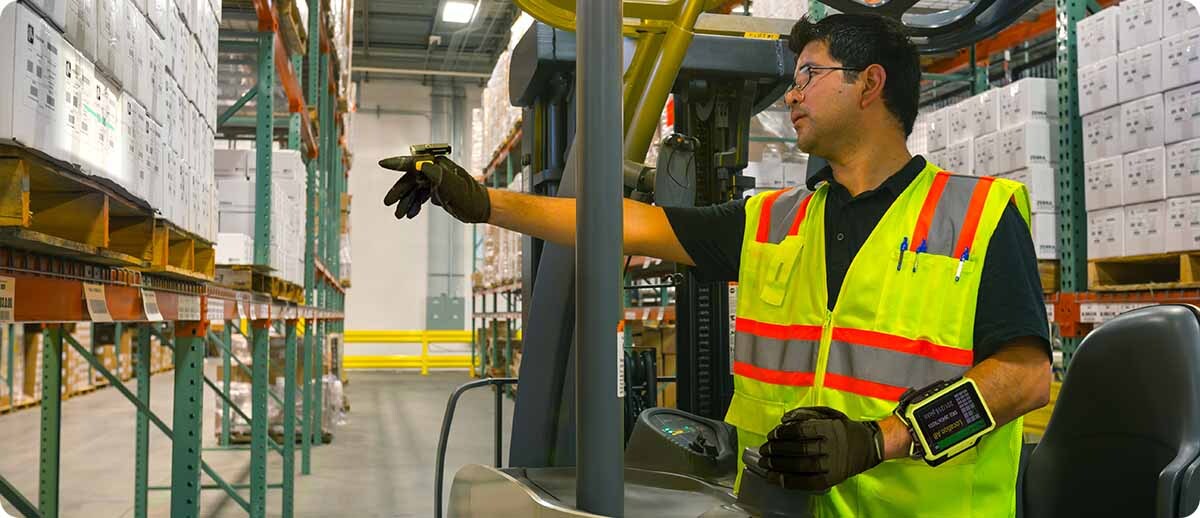
When the worker's hands are the most valuable thing in the workflow and a scanner keeps taking them away from the work. High-rate order picking is the clearest example. A picker needs to pick an item, confirm the pick by scanning, and place the item in a tote or on a conveyor. If they're holding a handheld, they're constantly setting it down, balancing it awkwardly while handling product, or hooking it on a belt and unhooking it seconds later. Multiply those micro-delays by hundreds of scan events per shift and you end up with a real throughput number that a wearable setup eliminates entirely.
Same situation in sortation environments, assembly lines, and put-wall operations. The job itself requires two hands. Adding a handheld scanner creates a conflict between the work and the data capture. Wearable computing resolves that by getting the scanner off the worker's hand entirely and onto their wrist or the back of their hand.
The WT6400: Zebra's Latest Wrist-Worn Computer
What is the WT6400 and what makes it different from previous wearable computers?
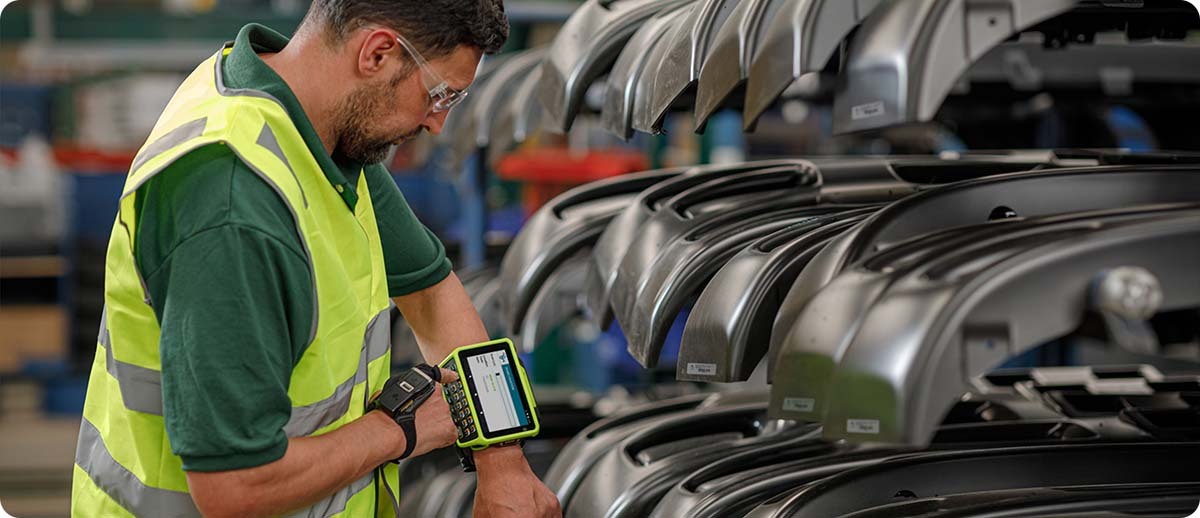
The WT6400 is Zebra's latest wrist-worn Android computer. It runs on a Qualcomm QCS4490 octa-core processor at 2.4 GHz with 6GB of RAM and 64GB of flash storage, which is a significant jump in processing power over the previous WT6300 generation. The display is 4.7 inches, more than twice the display area of the WT6300, which makes a real difference when workers are glancing at task information throughout a shift rather than just confirming scan results.
The OS is Android 13, upgradeable all the way to Android 17, which is the kind of future-proof software commitment that matters for a device you plan to run for five or more years. It carries IP65 and IP67 sealing, survives multiple 4-foot drops to concrete across the full operating temperature range (and 6-foot drops at standard temperatures), and runs from -22°F to 122°F. There's a standard 3,500 mAh battery for regular environments and a 5,000 mAh extended battery rated specifically for freezer use. Battery swaps happen without removing the device from the arm, so workers don't have to take off the unit to keep it powered through a shift.
Connectivity is Wi-Fi 6E across 2.4, 5, and 6 GHz bands alongside Bluetooth 5.3. It has a 13MP side-facing camera positioned so workers can actually see the image on the display before capturing it, which is a thoughtful design detail that previous wearable computers got wrong. Two rugged side connectors allow corded scanner connections in addition to the Bluetooth pairing for those who prefer a tethered setup.
Which ring scanners pair with the WT6400?
The WT6400 pairs via NFC tap-to-pair with the RS2100, RS5100, and RS6100. It also connects corded via the rugged side connectors to the RS4000 and RS5000 for operations that prefer a wired scanner connection. The RS2100 is the right pairing for most standard indoor picking and sorting environments. The RS5100 or RS6100 are the right choices when extended range or freezer operation is required, which we cover in the scanner selection section below.
The RS2100: The World's Smallest Enterprise Wearable Scanner
What makes the RS2100 different from other ring scanners?
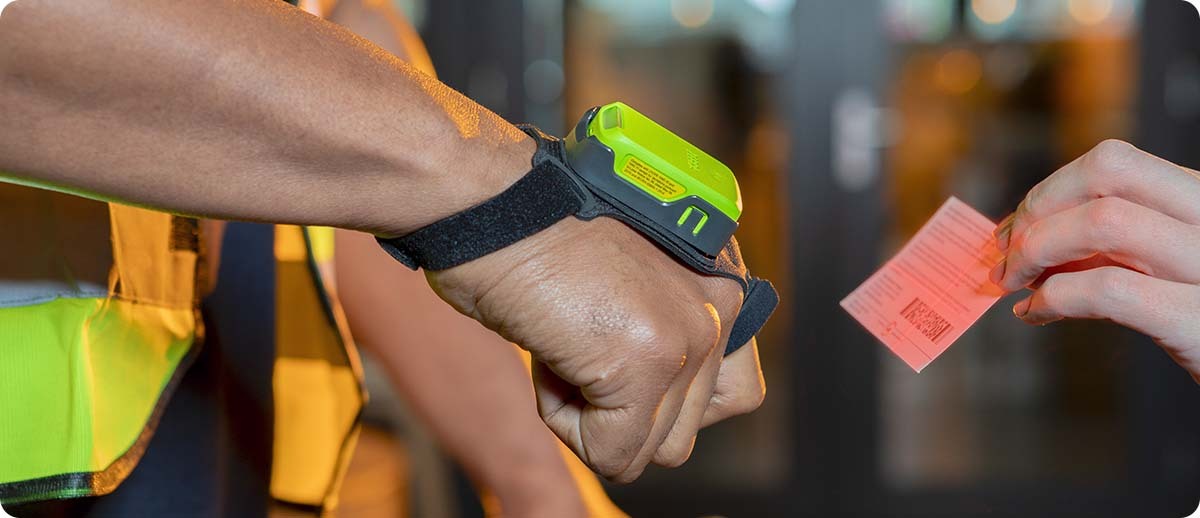
The RS2100 is Zebra's answer to the comfort problem with wearable scanning. At just 1.1 ounces and 0.57 inches high, it is the smallest and lightest enterprise wearable scanner available. Workers wearing it for a full shift consistently report less fatigue than with larger ring scanners, which matters a lot when you're asking someone to wear something on their hand for eight to ten hours.
The mount design is notably different from other back-of-hand scanners. The RS2100 leaves the entire palm completely open, with no strap across the palm or anything covering the palm surface. Workers get a full, natural grip on every item they handle, which is both more comfortable and reduces the chance of dropping product. The low profile also means workers can reach into tight shelf spaces without the scanner catching on the shelf edge, something that causes noticeable slowdowns with bulkier wearable options.
The battery is embedded in the unit, which simplifies management significantly. There are no separate batteries to track, charge, or swap. Just the scanner itself. It fits all hand sizes with right-hand and left-hand versions, so there's no need to stock different sizes for different workers.
The RS2100 uses the SE4770 scan engine with PRZM Intelligent Imaging, which reads 1D and 2D barcodes quickly even when they're damaged, dirty, or poorly printed. NFC tap-to-pair gets new workers scanning in seconds. Up to seven RS2100 scanners can pair simultaneously to a single non-mobile host via a Bluetooth adapter, which is worth knowing for packing station environments where workers need hands-free scanning but are stationed at a fixed PC rather than carrying a mobile computer.
Does the RS2100 work in a freezer?
No, and this is worth knowing before you spec it. The RS2100 is rated for operating temperatures from 32°F to 122°F. It is not rated for freezer environments. If your workers operate in cold storage at sub-freezing temperatures, the RS5100 or RS6100 are the correct ring scanner choices since both cover the sub-zero operating range. The WT6400 itself is fully freezer-rated with the extended battery, so the wrist computer is fine, but the RS2100 paired with it is not the right choice for those environments. Contact us if you need the freezer configuration and we can spec the right scanner to go with it.
The Workflows That Benefit Most
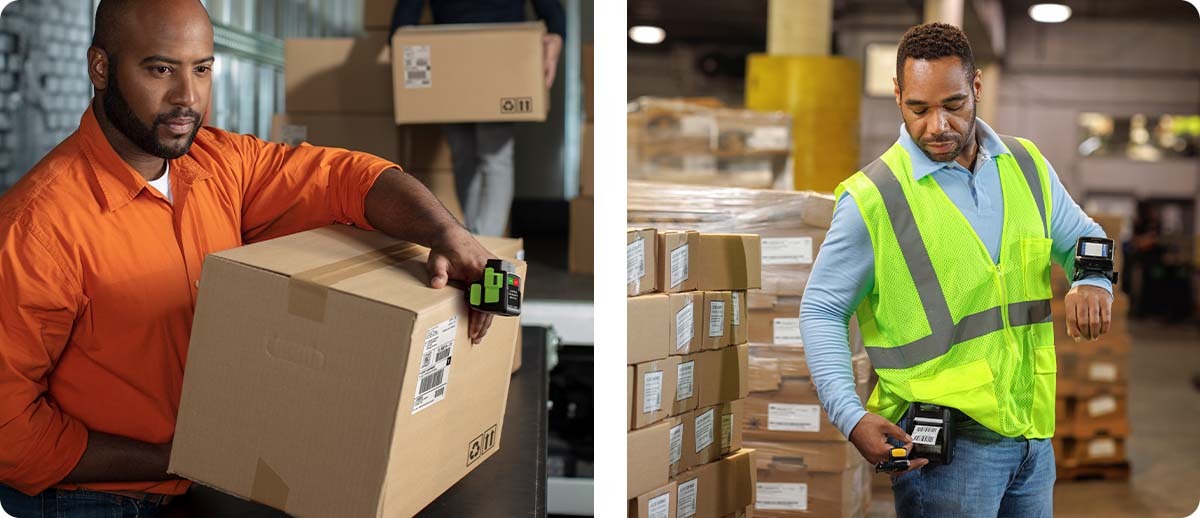
High-rate order picking. The classic case. Workers picking dozens or hundreds of items per hour use both hands constantly. The RS2100 plus WT6400 removes every pick-up-and-put-down from the workflow. Pick the product, trigger the scan, move to the next location.
Put-wall and sortation. Workers at put-walls receive consolidated picks and sort them into individual order slots. Both hands are handling product continuously. A ring scanner and wrist computer lets the scan happen while the other hand is already moving the next item.
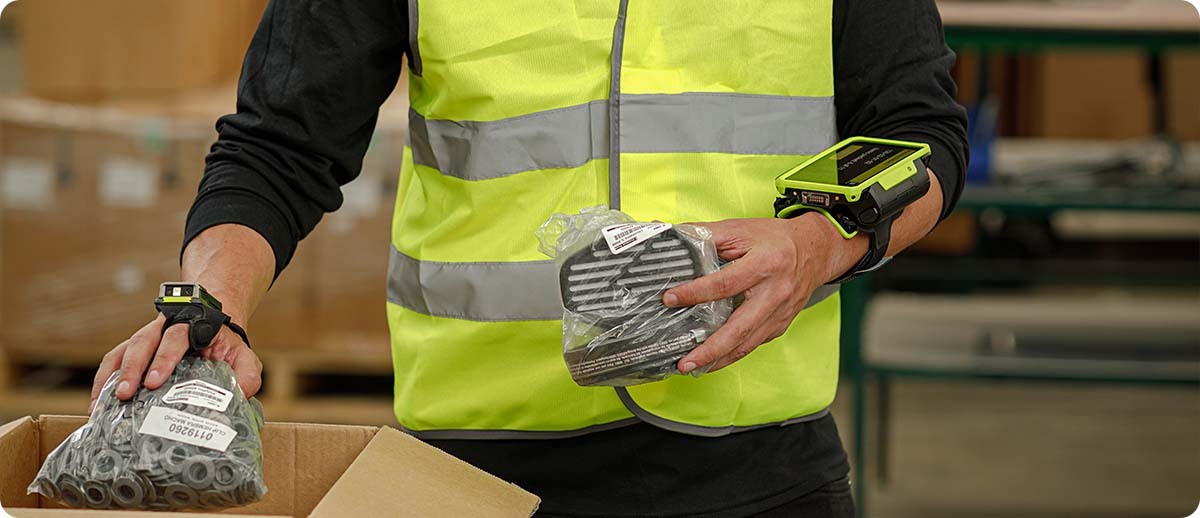
Assembly and manufacturing. Assembly workers need both hands for the job. Wearable computing lets them scan components, confirm assemblies, and update work orders without setting down tools or interrupting their rhythm. The WT6400's 4.7-inch display gives enough screen real estate to view task information comfortably on the wrist.
Packing stations. The RS2100's ability to pair up to seven scanners simultaneously to a single PC via Bluetooth adapter is particularly useful at packing stations where workers are stationary at a fixed desk. No mobile computer needed for each worker, just the ring scanner and the existing PC.
When a Handheld Is Still the Right Answer
Wearable computing is not the right answer for every worker or workflow. If workers aren't constantly handling product with both hands, the productivity argument weakens. Receiving workers inspecting incoming shipments, cycle counters working at their own pace, or any role where the worker controls the timing of scan events rather than the volume driving the pace are all situations where a TC53, TC73, or TC501 handheld covers the job well without the additional system complexity of a wearable setup.
The wearable setup also costs more upfront since you're deploying two devices per worker rather than one. For smaller operations where the throughput gain doesn't offset that system cost, a holstered handheld on a fast picker is genuinely effective enough.
Shop Wearable Computing at The ZPS Store
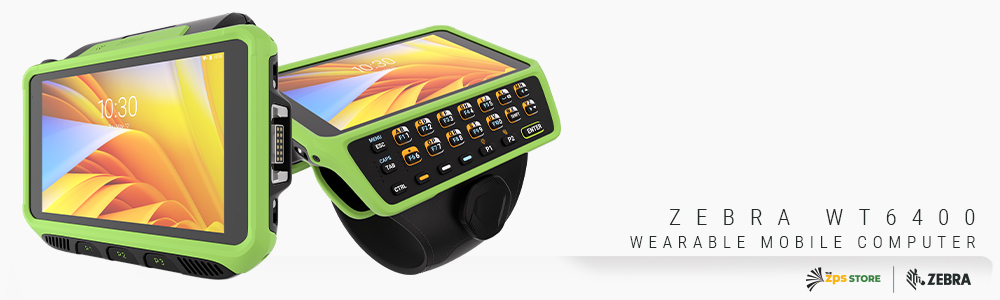
Zebra WT6400 Wearable Computer
Android 13 upgradeable to 17 | 6GB/64GB | 4.7-inch display | Wi-Fi 6E | BT 5.3 | IP65/IP67 | -22°F to 122°F
WT0-WT64B-T6DCE2NA: Touch only, extended 5000mAh freezer battery, Wi-Fi 6E
WT0-WT64B-T6DCC2NA: Touch only, standard 3500mAh battery, Wi-Fi 6E
WT0-WT64B-K6DCE2NA: Touch + 23-key keypad, extended 5000mAh freezer battery
WT0-WT64B-K6DCC2NA: Touch + 23-key keypad, standard 3500mAh battery
Shop Zebra WT6400 →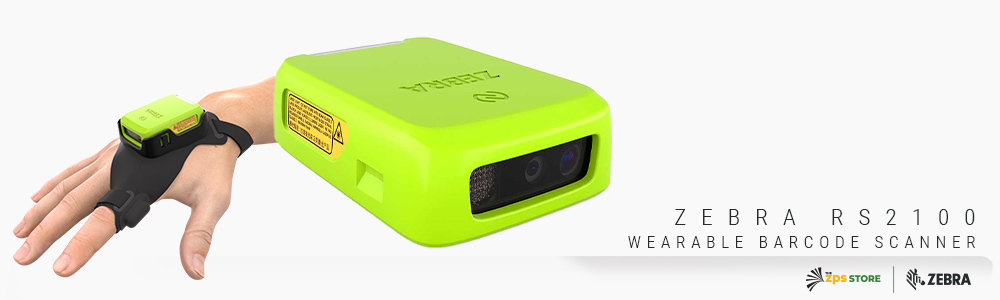
Zebra RS2100 Wearable Scanner
1.1 oz | SE4770 1D/2D | Back of hand, bare palm design | IP54 | 6ft drop | NFC tap-to-pair | 32°F to 122°F (not freezer rated)
RS21C0-TS00ZWR: RS2100 wearable scanner, SE4770, embedded battery, worldwide
Shop Zebra RS2100 →Need freezer operation or extended range? The RS2100 is not rated below 32°F. For freezer environments or extended-range scanning, we also carry the RS5100 and RS6100 ring scanners, both of which pair with the WT6400. Contact us and we'll spec the right combination for your environment.
Questions We Get on This
Can the RS2100 pair directly with a TC53 or TC73 instead of the WT6400?
Yes. The RS2100 pairs over Bluetooth with any Bluetooth-enabled Zebra mobile computer, or with Apple and Android tablets and smartphones, or directly to a PC via the Bluetooth adapter. The WT6400 plus RS2100 pairing is the full hands-free wearable computing setup. The RS2100 alone with a TC handheld is a lighter option that gives the worker ring scanner freedom without committing to wearing the wrist computer as well.
Can multiple workers share ring scanners between shifts?
The RS2100's right and left hand versions and one-size-fits-all mount design make it reasonable to share scanners between shifts, since there's no sizing adjustment needed between workers. Each scanner pairs quickly to the next worker's WT6400 or mobile computer via NFC tap. The embedded battery means the main shift-change consideration is battery level rather than a separate battery swap workflow.
How does the WT6400 compare to the WT6300 for existing WT6000 customers?
The WT6400 is a significant upgrade. The display area is more than twice as large, the processor is substantially more capable, the OS goes all the way to Android 17, and Wi-Fi 6E replaces the previous generation Wi-Fi. For operations currently running WT6300s that are approaching end of useful life, the WT6400 is the natural replacement and the right platform to specify for the next deployment cycle.
If you're evaluating whether a wearable setup makes sense for your operation, or you want to compare the WT6400 and RS2100 against a handheld for your specific workflows, fill out the form below and we'll help you work through the right configuration before you commit.