
Zebra ZD421 vs. ZD621: Which Desktop Printer Is Right for Your Operation?
Posted by The ZPS Store on Jul 10th 2026
By The ZPS Store | Desktop Printers | ZD421 vs. ZD621 Buyer's Guide
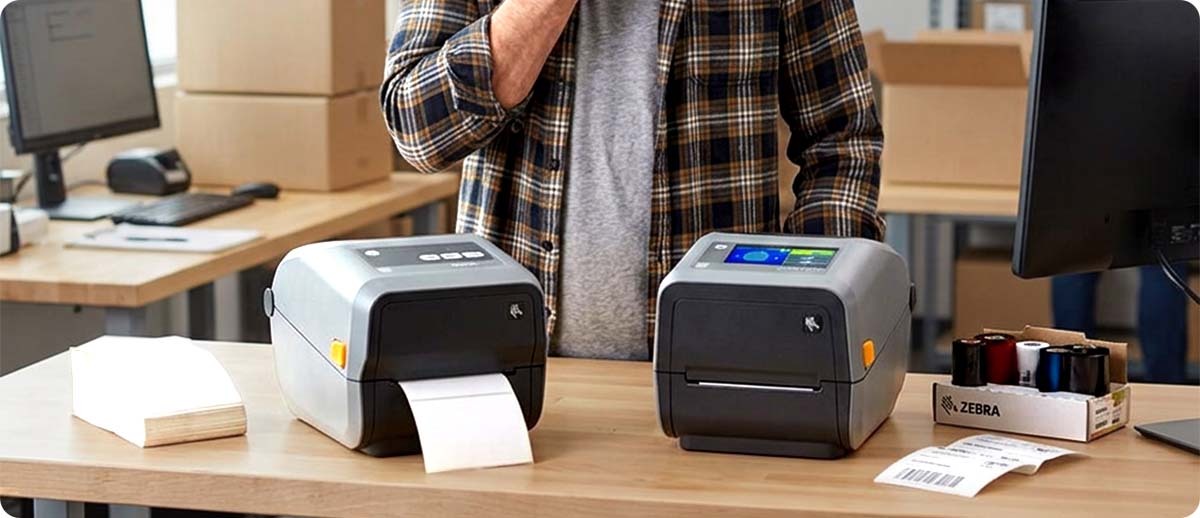
The ZD421 is Zebra's mainstream desktop printer and one of the most widely deployed label printers in North America. The ZD621 is the premium desktop option sitting one step above it in the Zebra lineup. They share the same 4-inch print width, the same connectivity platform, and the same core media handling. The differences between them are real but specific, and for a lot of buyers the ZD421 genuinely covers everything they need. Understanding where the ZD621 earns its higher price tag is what makes this decision straightforward.
What They Share
Before getting into the differences, it's worth being clear about how similar these two are, because it's a lot. Both print up to 4.09 inches wide. Both are available in direct thermal and thermal transfer configurations. Both run Link-OS with Zebra's full Print DNA suite for remote management, firmware updates, and print quality monitoring. Both connect via USB and Bluetooth 5.0 as standard, with Ethernet and Wi-Fi available on both. Both are current production and fully supported by Zebra.
Both also support the same range of accessories, cutters, dispensers, and peelers, and both use standard Zebra label rolls with no proprietary media dependency. If you switch from a ZD421 to a ZD621 or run both in the same facility, your labels, ribbons, and accessories all stay compatible.
Where They Differ
Print Speed
The ZD421 prints at up to 6 inches per second. The ZD621 prints at up to 8 inches per second. That's a 33 percent speed increase, which sounds significant and sometimes is. For a shipping desk printing a few hundred 4x6 labels per shift, the practical difference is not going to show up as a noticeable workflow change. For a workstation printing thousands of labels in back-to-back batches, shaving time off each label adds up and the ZD621's speed starts to matter.
If your current printer keeps up with your volume and you never feel like you're waiting on it, the speed difference is probably not the reason to step up. If you're already feeling like the printer is a bottleneck, the ZD621 is worth considering.
The Display
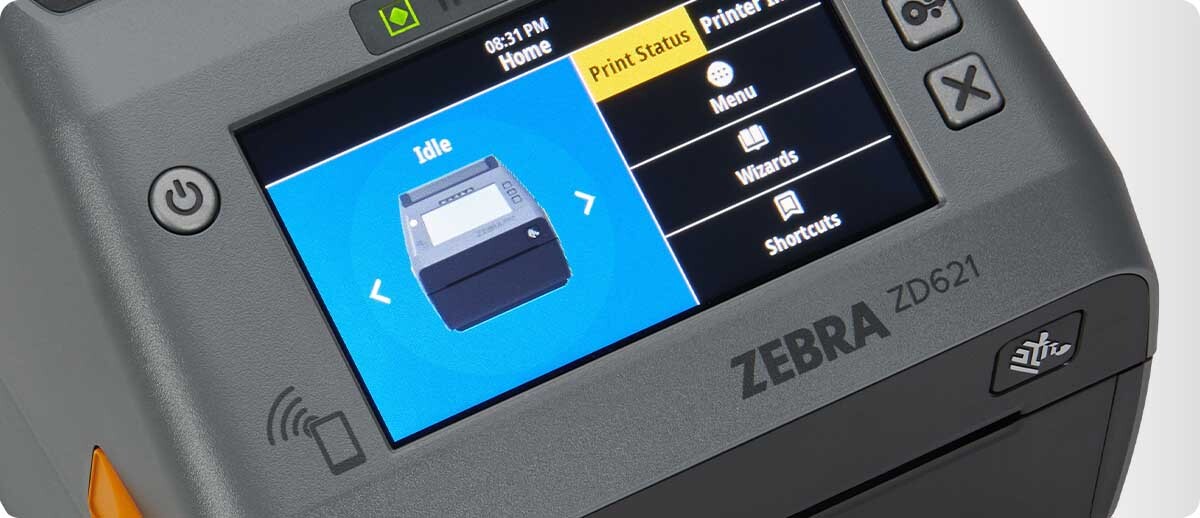
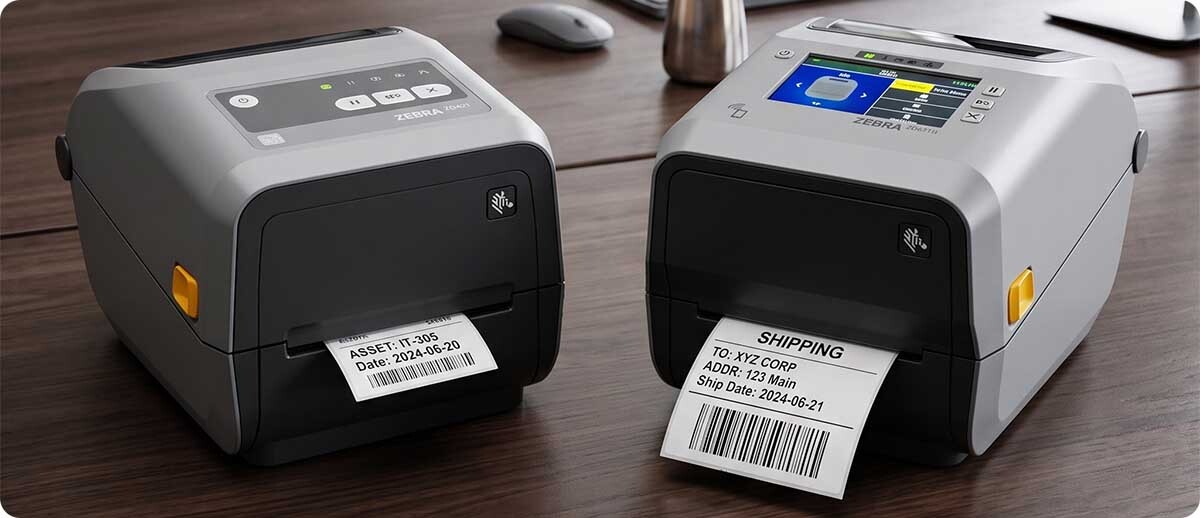
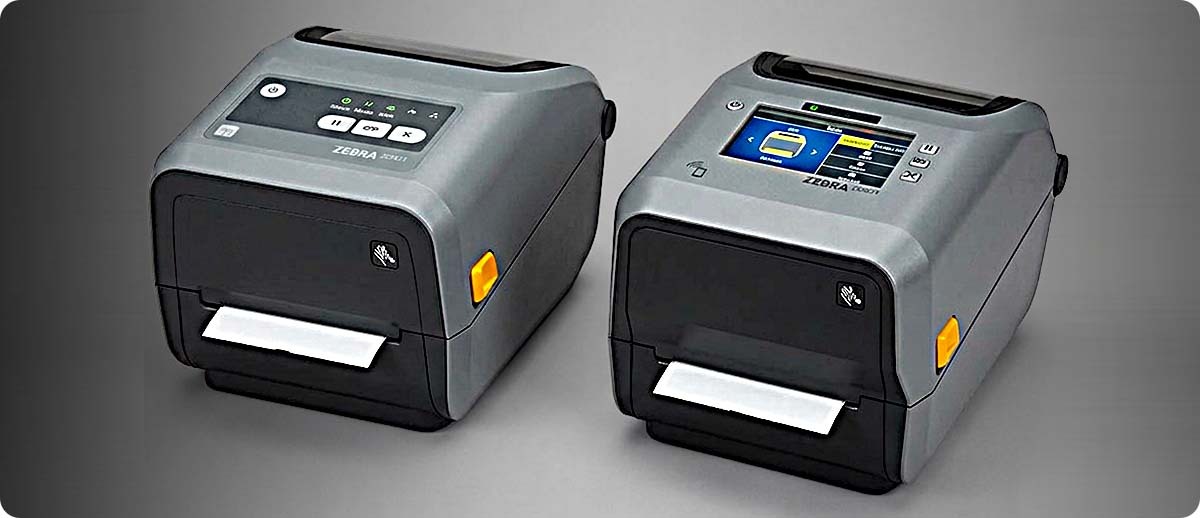
This is the most visible difference between the two. The ZD421 has a small status indicator light panel, which tells you whether the printer is ready, paused, or in an error state through a combination of light colors and patterns. It works, but it requires knowing what the patterns mean and doesn't give you much detail about what's actually wrong when something goes sideways.
The ZD621 is available with an optional 4.3-inch color touch LCD that shows the printer's status in plain text, including media level, error messages, and configuration settings. For a printer that mostly stays at one dedicated workstation with one person who knows it well, the ZD421's status lights are probably fine. For a shared office printer where multiple people use it throughout the day, or for any environment where you're tired of decoding light patterns when something breaks, the ZD621's display is a real quality of life upgrade.
Serial Port
The ZD621 includes a Serial port as standard. The ZD421 does not offer Serial connectivity in any configuration. If your setup uses a legacy system that communicates with the printer over Serial, the ZD621 is the only desktop Zebra option that supports it. If you don't have any Serial connectivity requirements, this doesn't affect your decision at all.
Linerless Configuration
The ZD621 is available in a linerless configuration with a silicone-coated platen roller and non-stick cutter for running linerless label media. The ZD421 does not offer a linerless option. If eliminating liner waste is on your radar for sustainability or operational reasons, the ZD621 is the path to linerless at the desktop level.
Cartridge Option
The ZD421 is available in a thermal transfer cartridge configuration where the ribbon comes in a self-contained module that drops in without threading. If you have users who struggle with loading standard ribbon rolls or if you want to simplify media changes in a low-IT environment, the cartridge option is a ZD421 exclusive. The ZD621 does not offer a cartridge configuration.
The Quick Comparison
| Feature | ZD421 | ZD621 |
|---|---|---|
| Print width | 4 inches | 4 inches |
| Max print speed | 6 ips | 8 ips |
| Display | Status indicator lights | Optional 4.3-inch color touch LCD |
| Serial port | Not available | Included |
| Linerless option | Not available | Available |
| Cartridge ribbon option | Available | Not available |
| Ethernet | Optional add-on | Standard |
| Best for | Standard workstation, low-to-moderate volume, one user | Shared printer, higher volume, legacy systems, linerless |
Who Should Get the ZD421
The ZD421 is the right call for most standard desktop labeling setups. If you're printing shipping labels, inventory tags, shelf labels, or basic compliance labels at a single workstation with one person operating the printer, it covers you completely. It's also the right call if you want the cartridge ribbon option to simplify media changes, since that's a ZD421 exclusive. If budget is a real factor and the ZD621's extra features don't map to anything you actually need, the ZD421 is the straightforward choice and you're not giving anything up that matters for your use case.
Who Should Get the ZD621
The ZD621 earns its premium in four situations. If the printer is going to be shared by multiple people and a clear status display would save time and confusion, go with the ZD621. If your daily label volume is high enough that speed matters and 6 ips is starting to feel like a bottleneck, go with the ZD621. If you have a legacy system that requires Serial connectivity and there's no practical way around it, the ZD621 is your only desktop Zebra option. And if linerless media is in your plans for waste reduction or operational efficiency, the ZD621 is the desktop path to it.
Shop ZD421 & ZD621 at The ZPS Store
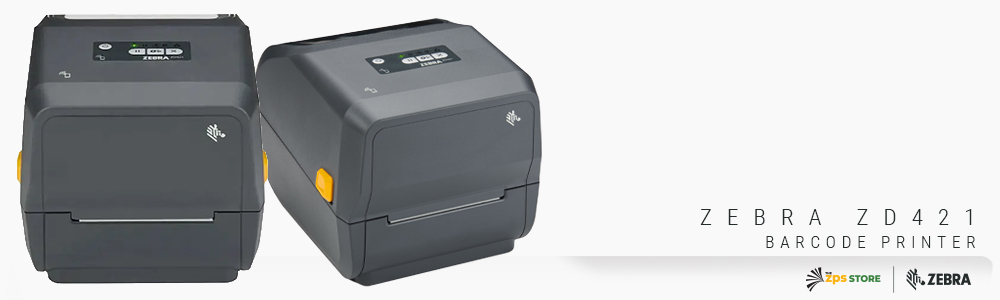
Zebra ZD421 Desktop Printer
6 ips | 203 or 300 DPI | DT, TT, or cartridge | USB, BT, optional Ethernet/Wi-Fi
ZD4A043-D01M00EZ: DT, 300 DPI, modular connectivity slot, BT5
ZD4A042-C01M00EZ: TT cartridge, 203 DPI, modular connectivity slot, BT5
Shop ZD421 →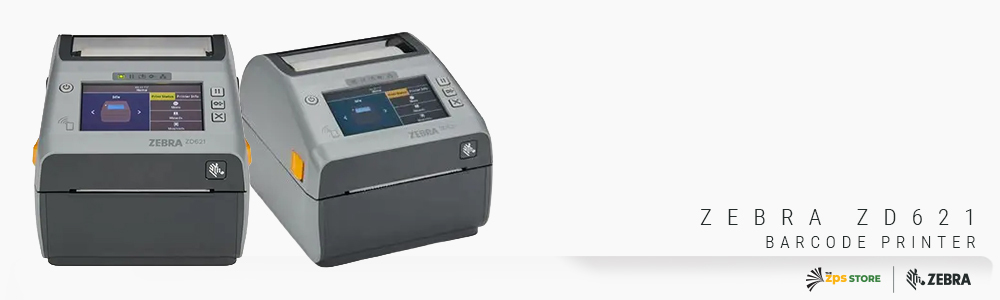
Zebra ZD621 Desktop Printer
8 ips | 203 or 300 DPI | DT or TT | USB, BT5, Ethernet, Serial, optional color LCD and Wi-Fi
ZD6A042-301F00EZ: TT, 203 DPI, USB/Ethernet/Serial/BT5
ZD6A043-311F00EZ: TT, 300 DPI, dispenser, USB/Ethernet/Serial/BT5
ZD6A042-D21F00EZ: DT, 203 DPI, cutter, USB/Ethernet/Serial/BT5
ZD6A042-D41F00EZ: DT, 203 DPI, linerless with cutter, USB/Ethernet/Serial/BT5
Shop ZD621 →Questions We Get on This
We're replacing a ZD420 or ZD620. Which one do we move to?
Direct replacements. The ZD421 replaces the ZD420 and the ZD621 replaces the ZD620. Both upgrades bring faster processing, improved media handling, and better connectivity options. Your existing label templates and media should transfer over without any reconfiguration in most cases.
Can I add Ethernet to the ZD421 later if I don't need it right now?
Yes. The ZD421 has a modular connectivity slot that accepts Ethernet, Wi-Fi, and other connectivity modules as field-installable upgrades. You can buy it with USB and Bluetooth today and add Ethernet later without replacing the printer. The ZD621 includes Ethernet as standard in all configurations, so no upgrade slot is needed.
Is the color LCD touchscreen standard on all ZD621 configurations?
No, it's an optional feature. ZD621 configurations with the color touch LCD will show it in the SKU description. Configurations without it have the same status indicator light setup as the ZD421. If the display is important to you, make sure you're selecting a configuration that includes it when you order.
Does it matter which one I choose if I'm just printing basic shipping labels?
Honestly, not much. For basic shipping labels at normal volumes from a single dedicated workstation, both printers will do the job and the output quality will be identical. The ZD421 is the more cost-effective choice in that scenario. The ZD621 starts to matter when your situation has one or more of the specific factors covered above: shared use, higher volume, Serial connectivity, or linerless media.
If you know which one you need, both are in stock and ready to go. If you're still not sure after reading this, fill out the form below with what you're printing and how, and we'll give you a straight answer before you order.