
Zebra ZSB Discontinued: The Best Replacement Printers and What to Do Next
Posted by The ZPS Store on Apr 29th 2026
By The ZPS Store | Zebra Desktop Printers | ZSB Replacement Guide
The Zebra ZSB was a genuinely appealing product when it launched. It printed from a smartphone app, connected via Wi-Fi, had a clean physical design, and used a drop-in cartridge system that made loading labels feel more like swapping an ink cartridge than threading media through a thermal printer. For small offices, occasional label printing, and users who found standard label printers intimidating, the ZSB made a lot of sense.
The problem is the proprietary cartridge. The ZSB's label cartridges are specific to that printer and nothing else. They do not work in any other Zebra printer. They do not work in any other brand. And now that Zebra has discontinued the ZSB line, those cartridges are heading toward an end that is not that far away. When the last batch of ZSB cartridges sells through the supply chain, a ZSB printer becomes a label printer that cannot print labels. That is not a hypothetical. It is just a matter of time.
The good news is that replacing the ZSB is straightforward, and in most cases the replacement printer is meaningfully better than what it is replacing. This guide covers the two Zebra desktop printers that make the most sense as ZSB replacements, how to choose between them, and what to know about making the switch from proprietary cartridges to standard label rolls.
Why the ZSB Cartridge System Was Always a Risk
The ZSB was designed for simplicity, and Zebra delivered on that goal. The cartridge system required no threading, no calibration, and no media knowledge from the user. You bought ZSB cartridges, dropped them in, and printed. That convenience was real and it worked well.
But proprietary consumable systems carry a risk that becomes apparent the moment the manufacturer stops selling the hardware. When a printer uses standard consumables, such as standard label rolls available from dozens of suppliers, the printer stays useful long after the original manufacturer changes direction. When a printer uses proprietary consumables that are unique to that model, it is entirely dependent on that manufacturer continuing to supply them. The ZSB is now on the wrong side of that equation.
There are still ZSB cartridges available in the market right now. But inventory is finite, distributors are not reordering discontinued product at the same rate, and at some point the supply runs dry. Anyone still relying on a ZSB for regular label printing should be thinking about a replacement now, while the transition is on their own schedule, rather than waiting until the printer becomes nonfunctional.
The Right Replacements: Zebra ZD421 and ZD621
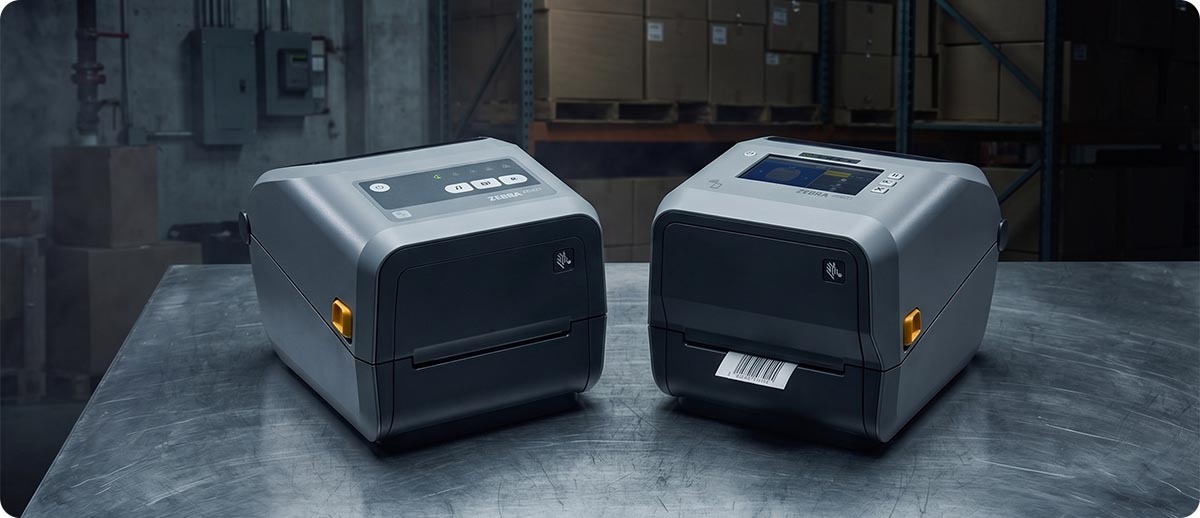
Zebra's current desktop printer lineup has two models that cover the territory the ZSB occupied and then some. The ZD421 and ZD621 both use standard label rolls, work with every major operating system, connect via Wi-Fi and Bluetooth the same way the ZSB did, and are backed by Zebra's full enterprise support infrastructure. Neither of them has a proprietary consumable problem. Standard Zebra label media is available from hundreds of suppliers, in thousands of configurations, and will remain available for the foreseeable future.
The choice between the two depends on your volume, your application, and a few specific features that separate them. Here is what each one actually offers.
Zebra ZD421: The Direct ZSB Replacement for Most Users
The ZD421 is the printer that replaces the ZSB for the majority of users who are not printing at high daily volumes. It is a 4-inch desktop thermal printer available in three printing configurations: direct thermal, thermal transfer, and thermal transfer cartridge. The cartridge option is worth noting specifically for ZSB users, because it is the closest thing to the ZSB's drop-in cartridge experience while still using a real ribbon system. The cartridge holds the ribbon in a self-contained module that installs without threading, which reduces the learning curve for users coming from the ZSB.
The ZD421 uses standard Zebra label rolls in any width up to 4 inches. You can source those labels from ZPS or from any Zebra-authorized media supplier. There is no proprietary supply dependency. When you run out of labels, you order more standard labels. That is a fundamentally different and more sustainable supply situation than the ZSB cartridge system.
Connectivity on the ZD421 covers the same ground the ZSB covered and more. The base model includes USB and Bluetooth. Ethernet is available as an option. Wi-Fi is a field-upgradeable modular kit that installs in the connectivity slot without tools, so if you need wireless now you can add it, and if you need it later you are not locked out. The ZSB connected via Wi-Fi to a smartphone app. The ZD421 connects the same way, but it also works with label design software, print management platforms, and every major operating system without requiring a proprietary app.
Print speed on the ZD421 goes up to 6 inches per second at 203 DPI. For the label volumes that ZSB users typically print, that is more than adequate. The printer is 30 percent more powerful than the ZD420 it replaced, and 700 percent more powerful than the older GK Series printers it also supersedes.
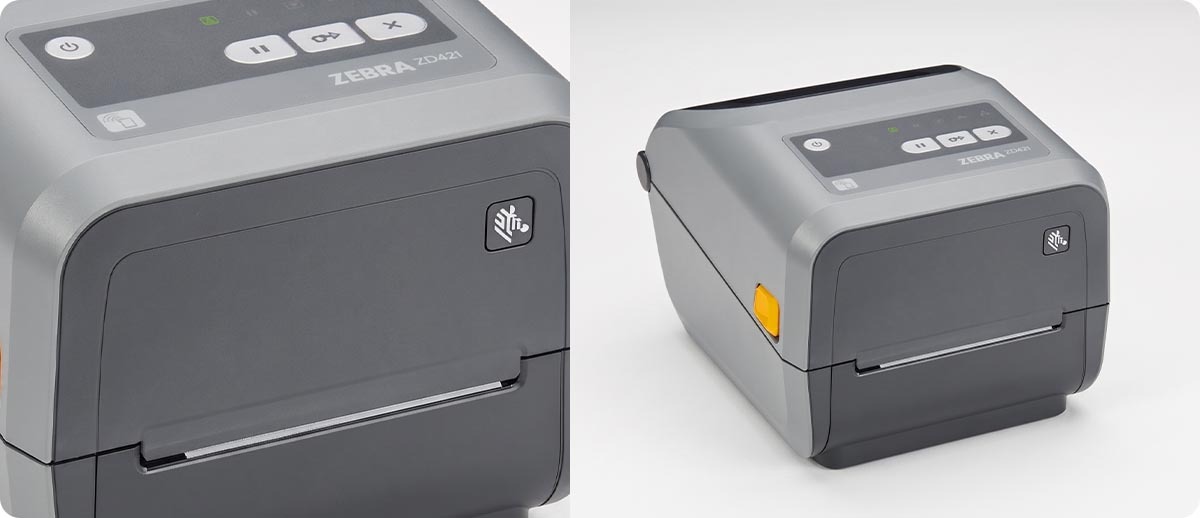
Zebra ZD421 — Desktop Label Printer (203 DPI)
Available configurations at The ZPS Store:
ZD4A042-D01M00EZ — Direct thermal, USB, Bluetooth, modular connectivity slot
ZD4A042-D01E00EZ — Direct thermal, USB, Ethernet, Bluetooth
ZD4A042-D01X01EZ — Direct thermal, USB, Wi-Fi, Bluetooth
ZD4A042-301M00EZ — Thermal transfer, USB, Bluetooth, modular connectivity slot
ZD4A042-301E00EZ — Thermal transfer, USB, Ethernet, Bluetooth
ZD4A042-301X01EZ — Thermal transfer, USB, Wi-Fi, Bluetooth
ZD4A042-C01M00EZ — Thermal transfer cartridge, USB, Bluetooth, modular slot
ZD4A042-C01E00EZ — Thermal transfer cartridge, USB, Ethernet, Bluetooth
ZD4A042-C01W01EZ — Thermal transfer cartridge, USB, Wi-Fi, Bluetooth
Shop Zebra ZD421 →Zebra ZD621: The Step Up for Higher Volume and More Features
The ZD621 is the premium desktop printer in Zebra's current lineup, and it makes sense for ZSB users whose printing needs have grown beyond what the ZSB was designed for. If you are printing more than a few hundred labels per day, managing a printer that multiple people in an office use, or working in an environment where label quality and printer uptime genuinely matter to operations, the ZD621 is the better long-term choice.
The most visible difference between the ZD421 and ZD621 is the display. The ZD621 has an optional 4.3-inch color touch LCD that shows printer status, media information, and configuration settings at a glance. For a shared office printer or a workstation where different users print different label types, the color display significantly reduces the guesswork around printer state. The ZD421 has status lights but no color display.
The ZD621 also prints faster, at up to 8 inches per second depending on the model. It supports all the same connectivity options as the ZD421, along with Serial port for legacy system connections if needed. Ethernet and Wi-Fi are both available. Bluetooth 5.0 is standard. The ZD621 runs Link-OS with the full Zebra Print DNA suite, which includes tools for remote fleet management, firmware updates, and print quality monitoring that the ZD421 also supports but that matter more as printer count or daily volume increases.
Like the ZD421, the ZD621 uses standard Zebra label rolls. Same supply chain, same media sources, same freedom from proprietary consumable dependency.
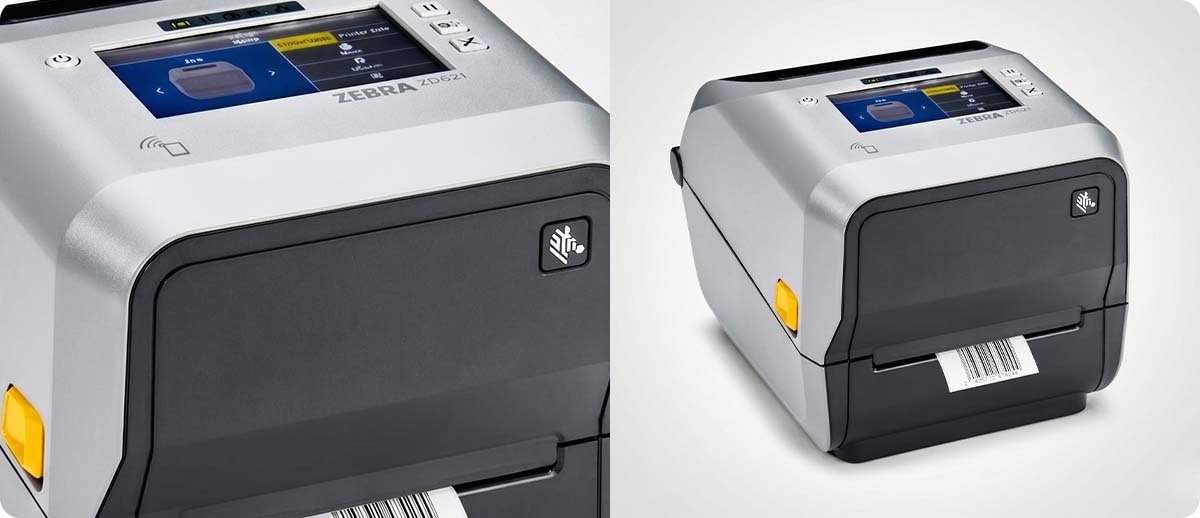
Zebra ZD621 — Premium Desktop Label Printer (300 DPI)
Available configurations at The ZPS Store:
ZD6A043-D21F00EZ — Direct thermal, 300 DPI, USB, Ethernet, Serial, Bluetooth, cutter
ZD6A043-D01R01EZ — Direct thermal, 300 DPI, USB, Wi-Fi, Bluetooth
Shop Zebra ZD621 →ZD421 vs. ZD621: Which One Replaces Your ZSB
| Feature | ZD421 | ZD621 |
|---|---|---|
| Print width | 4 inches | 4 inches |
| Max DPI | 203 DPI | 300 DPI |
| Max print speed | 6 ips | 8 ips |
| Display | Status lights only | Optional 4.3" color touch LCD |
| Connectivity | USB, BT, Ethernet, Wi-Fi (modular) | USB, BT, Ethernet, Serial, Wi-Fi |
| Cartridge ribbon option | Yes (C-series models) | No |
| Best suited for | Light to medium volume, individual workstations | Medium to higher volume, shared printers, operations environments |
| ZSB replacement fit | Direct replacement for most ZSB users | Upgrade choice for higher volume needs |
Switching from ZSB Cartridges to Standard Label Rolls
The biggest practical difference for ZSB users switching to the ZD421 or ZD621 is moving from cartridges to standard label rolls. It is less complicated than it sounds, but there are a few things worth knowing before you order your first roll of media.
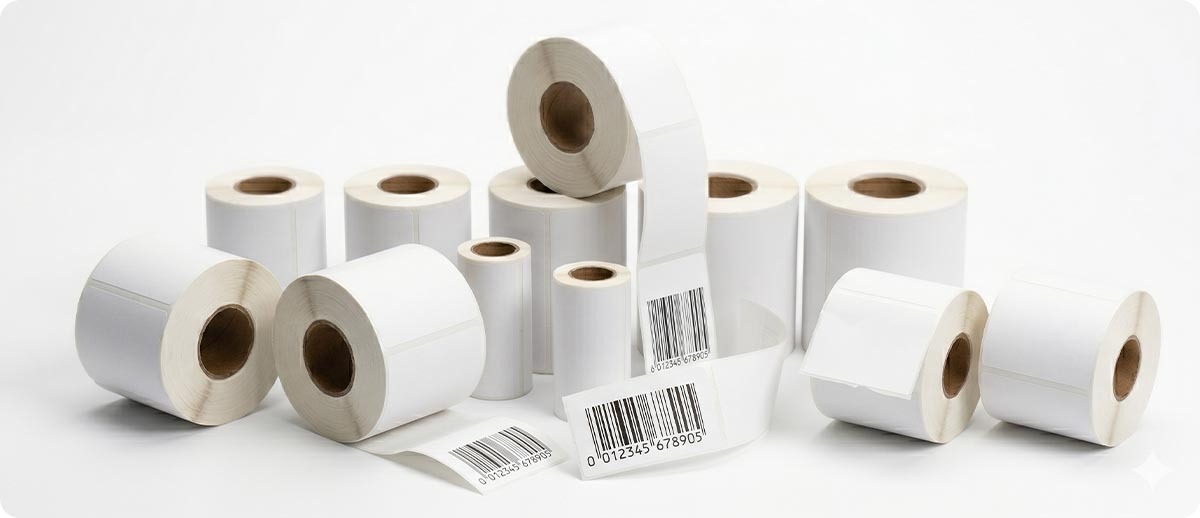
Standard label rolls for the ZD421 and ZD621 come in virtually any width from under an inch to 4 inches, in hundreds of label sizes, and in both direct thermal and thermal transfer formats. Direct thermal media requires no ribbon. It prints by applying heat directly to heat-sensitive label stock. This is the simplest option and the one that most closely resembles the ZSB experience, since the ZSB was a direct thermal printer. You load a label roll, calibrate the printer once, and print.
Thermal transfer media requires a ribbon in addition to the label roll. It produces more durable labels that resist heat, UV, and chemical exposure better than direct thermal labels. For most ZSB users printing shipping labels, name tags, product labels, or office identification labels, direct thermal is the right choice and keeps the supply situation simple.
The ZSB printed on 2.25-inch wide label stock in most configurations. The ZD421 and ZD621 handle that width comfortably, along with 4-inch wide labels if your application ever needs the extra width. You will need to know your label size when ordering media, but the ZPS Store carries Zebra label stock in the most common sizes, and our team can help you identify the right match for your specific application.
What You Actually Gain by Leaving the ZSB Behind
It is worth being direct about something: the ZD421 and ZD621 are better printers than the ZSB in almost every measurable way. The ZSB was designed for simplicity and consumer accessibility. The ZD-series printers were designed for enterprise reliability and long operational life.
The ZD421 is 30 percent more powerful than its predecessor and 700 percent more powerful than the GK Series printers it also replaces. It runs Zebra's Link-OS, which means it is manageable via Zebra's Print DNA tools, updatable remotely, and compatible with every major label design software platform. ZebraDesigner, ZPL, label management software with SAP or Oracle connectors, mobile printing apps from iOS or Android, all of it works out of the box without workarounds.
The ZSB was tied to its own app ecosystem. The ZD421 and ZD621 work with any software that speaks ZPL, which is the dominant label printing language in enterprise environments. That compatibility means you are not locked into a specific app or workflow the way ZSB users were locked into the ZSB app and the ZSB cartridge system.
The printers are also warranted under Zebra's standard warranty program and are eligible for Zebra OneCare service contracts, which include printhead replacement coverage and depot repair. The ZSB had no comparable service program. For any organization treating label printing as an operational function rather than an occasional convenience, that support infrastructure matters.
Frequently Asked Questions: Replacing the Zebra ZSB
Can I still buy ZSB label cartridges anywhere?
Some inventory remains in the market as of early 2026. You may find ZSB cartridges at various retailers while supplies last. However, Zebra is no longer producing them, and once existing inventory sells through, they will no longer be available. If you are still running a ZSB, it is worth planning your replacement now rather than waiting until the cartridge supply is completely gone and you are without a working printer.
Will my ZSB labels still be compatible with the ZD421 or ZD621?
No. ZSB label cartridges are proprietary to the ZSB and will not work in any other printer. When you switch to the ZD421 or ZD621, you will be using standard label rolls instead of cartridges. Your ZSB cartridge inventory will only be usable in the ZSB itself. Standard Zebra label rolls for the ZD421 and ZD621 are widely available and come in every common size and application type.
The ZSB was really easy to set up. Will the ZD421 be harder to use?
The initial setup of the ZD421 is straightforward. Loading a label roll takes under a minute once you have done it once. Zebra provides a setup wizard through their Printer Setup Utility app, which walks through calibration and connectivity on iOS, Android, and Windows. The ZD421 is not quite as plug-and-play as the ZSB on day one, but it is not difficult, and the long-term experience of having a printer tied to standard supplies and standard software is substantially better than the ZSB's proprietary ecosystem.
What label size should I order for my ZD421 to replace my ZSB labels?
The ZSB most commonly used 2.25 x 1.25 inch or 2.25 x 0.75 inch label stock depending on the application. Both of those sizes are available as standard Zebra direct thermal label rolls compatible with the ZD421. If you are not sure what size your ZSB labels were, measure a physical label or check the ZSB app settings. Our team at The ZPS Store can match you to the right replacement media once you have the dimensions.
I only print labels occasionally. Is the ZD421 overkill for my needs?
No. The ZD421 is Zebra's mainstream desktop printer and is designed for everything from very light office use to medium-volume operations. It does not require a minimum daily print volume to justify its cost. If you were printing occasional labels on a ZSB and want to continue doing the same thing without a proprietary supply dependency, the ZD421 is the appropriate replacement regardless of how often you actually print.
If you are working through the ZSB replacement decision and want help picking the right ZD421 or ZD621 configuration for your specific use case, our team can point you in the right direction quickly. We carry the full ZD421 and ZD621 lineup along with the label media you will need to get started. Fill out the form below and we will get you sorted.